
Explore the latest Microsoft 365 updates including Copilot enhancements, AI meeting recaps, Teams improvements, and new productivity features.


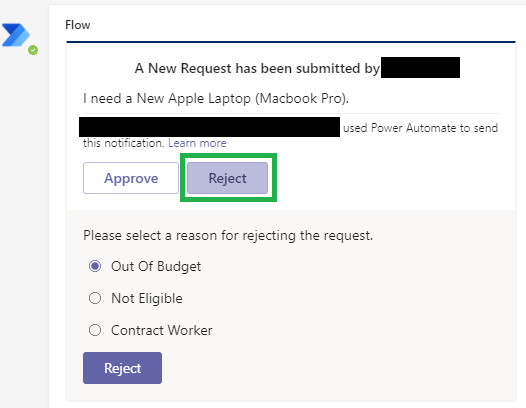
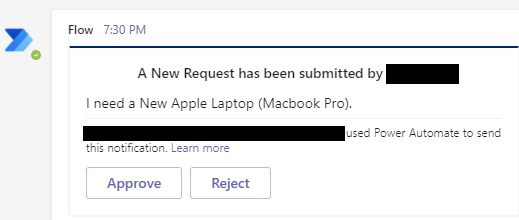
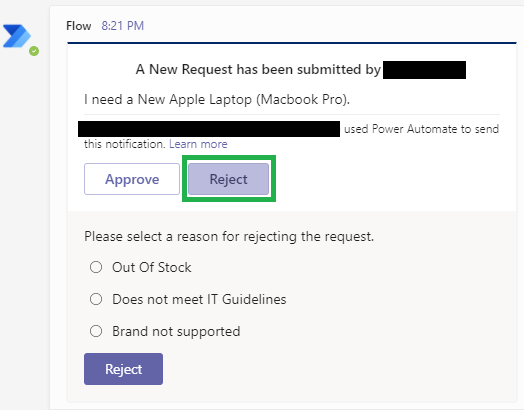
Our end goal here is to post an adaptive card to 2 different departments for approval. Each department will be presented with a different set of rejection reasons based on their department dynamically. These rejection reasons are being fetched dynamically from the SharePoint List and are being appended to the adaptive cards. This eliminates the need to modify the adaptive cards each time the data in the SharePoint list is modified.
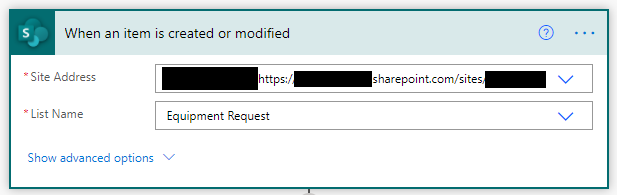
1. Create a SharePoint List Equipment Request. We will be using this list to add content and trigger a flow (when an item is created or modified) that will post an adaptive card. We will use the below columns in the list:
2. Create another SharePoint List Rejection Reason that will be used to dynamically render rejection reasons in the adaptive cards basis the department the card is being posted to. We will use the below columns in the list:
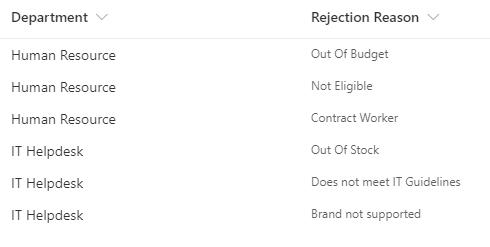
3. Populate data in the Rejection Reason list since we will be using data from this list in our adaptive cards. For our case, below is the sample data table:
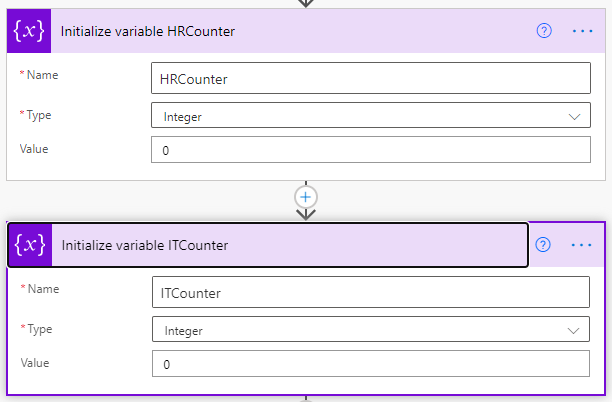
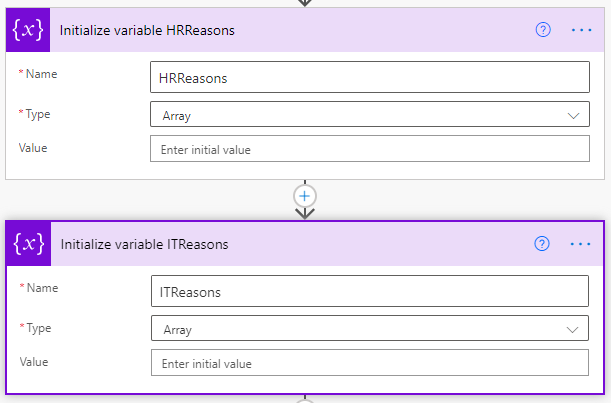
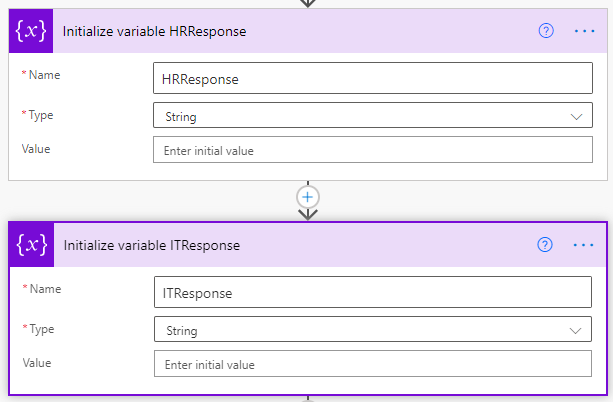
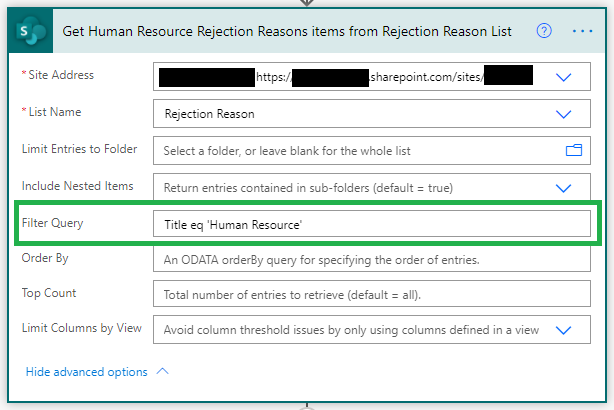
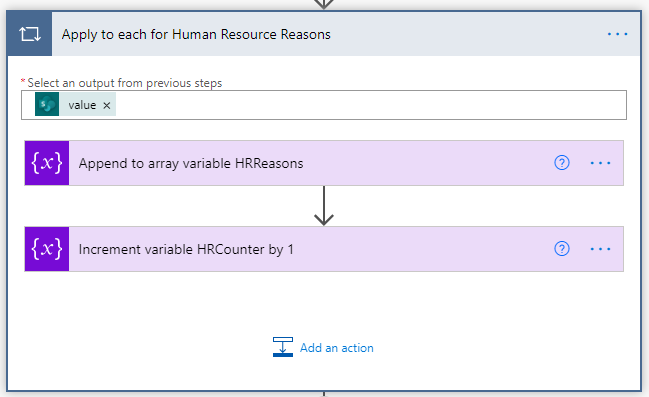
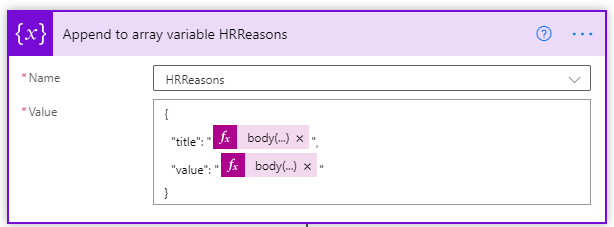
body('Get_Human_Resource_Rejection_Reasons_items_from_Rejection_Reason_List')['value'][variables('HRCounter')]['RR']
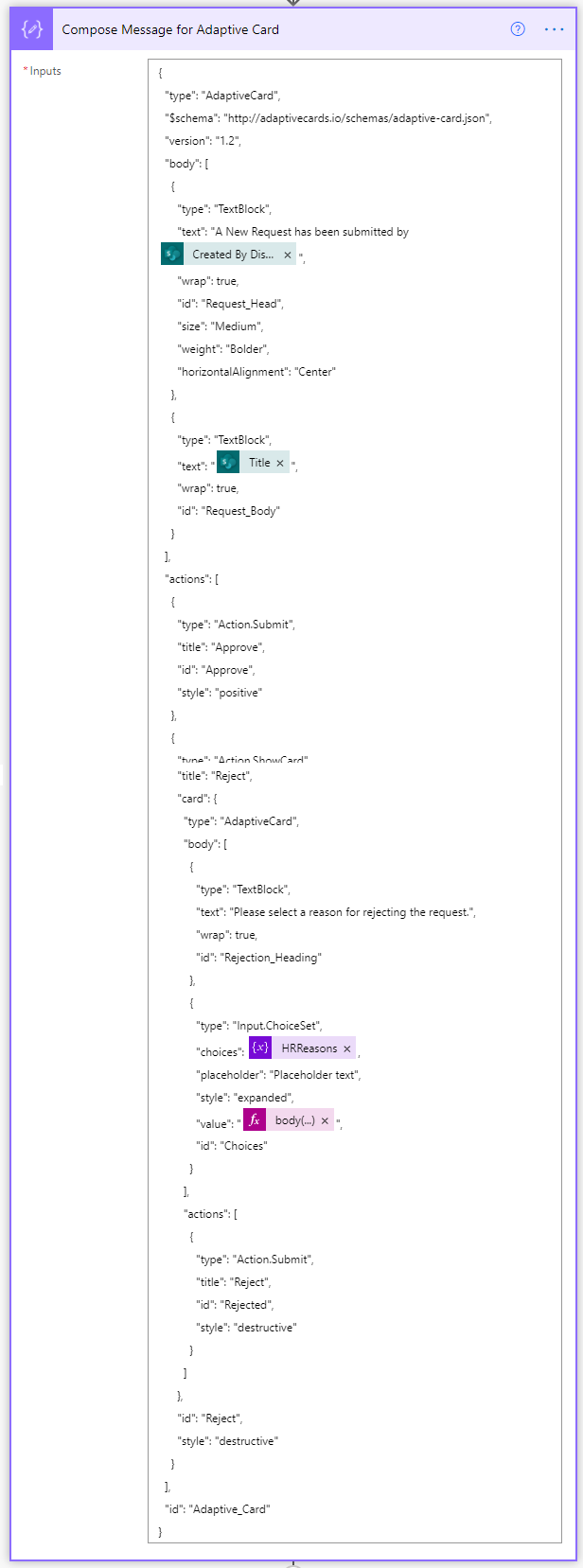
{
"type": "AdaptiveCard",
"$schema": "http://adaptivecards.io/schemas/adaptive-card.json",
"version": "1.2",
"body": [
{
"type": "TextBlock",
"text": "A New Request has been submitted by @{triggerOutputs()?['body/Author/DisplayName']}",
"wrap": true,
"id": "Request_Head",
"size": "Medium",
"weight": "Bolder",
"horizontalAlignment": "Center"
},
{
"type": "TextBlock",
"text": "@{triggerOutputs()?['body/Title']}",
"wrap": true,
"id": "Request_Body"
}
],
"actions": [
{
"type": "Action.Submit",
"title": "Approve",
"id": "Approve",
"style": "positive"
},
{
"type": "Action.ShowCard",
"title": "Reject",
"card": {
"type": "AdaptiveCard",
"body": [
{
"type": "TextBlock",
"text": "Please select a reason for rejecting the request.",
"wrap": true,
"id": "Rejection_Heading"
},
{
"type": "Input.ChoiceSet",
"choices": @{variables('HRReasons')},
"placeholder": "Placeholder text",
"style": "expanded",
"value": "@{body('Get_Human_Resource_Rejection_Reasons_items_from_Rejection_Reason_List')['value'][0]['RR']}",
"id": "Choices"
}
],
"actions": [
{
"type": "Action.Submit",
"title": "Reject",
"id": "Rejected",
"style": "destructive"
}
]
},
"id": "Reject",
"style": "destructive"
}
],
"id": "Adaptive_Card"
}
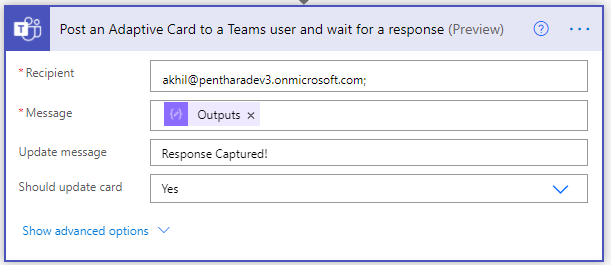
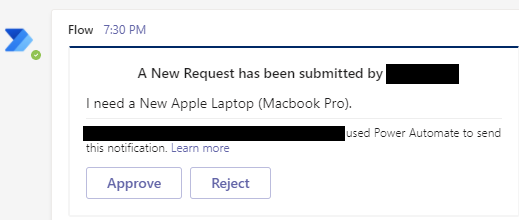

@{body('Post_an_Adaptive_Card_to_a_Human_Resources_Teams_channel_and_wait_for_a_response')['submitActionId']}
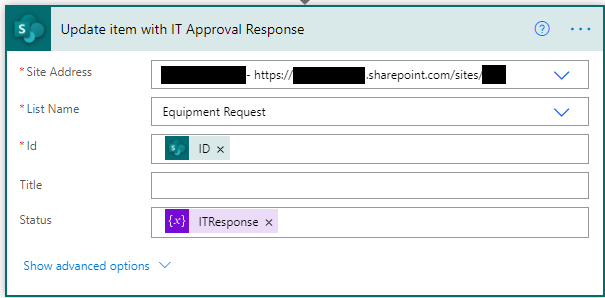
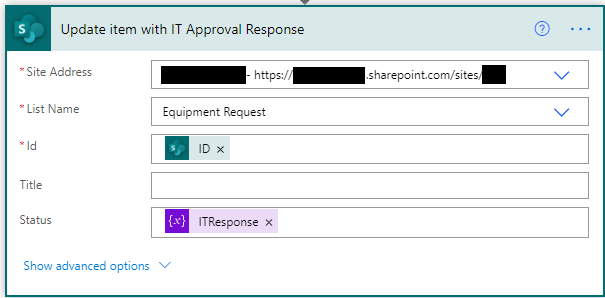
26. We will capture the response of the HR approver in the ITResponse variable

We just saw how we can dynamically filter values and present them as dynamic options in an adaptive card.
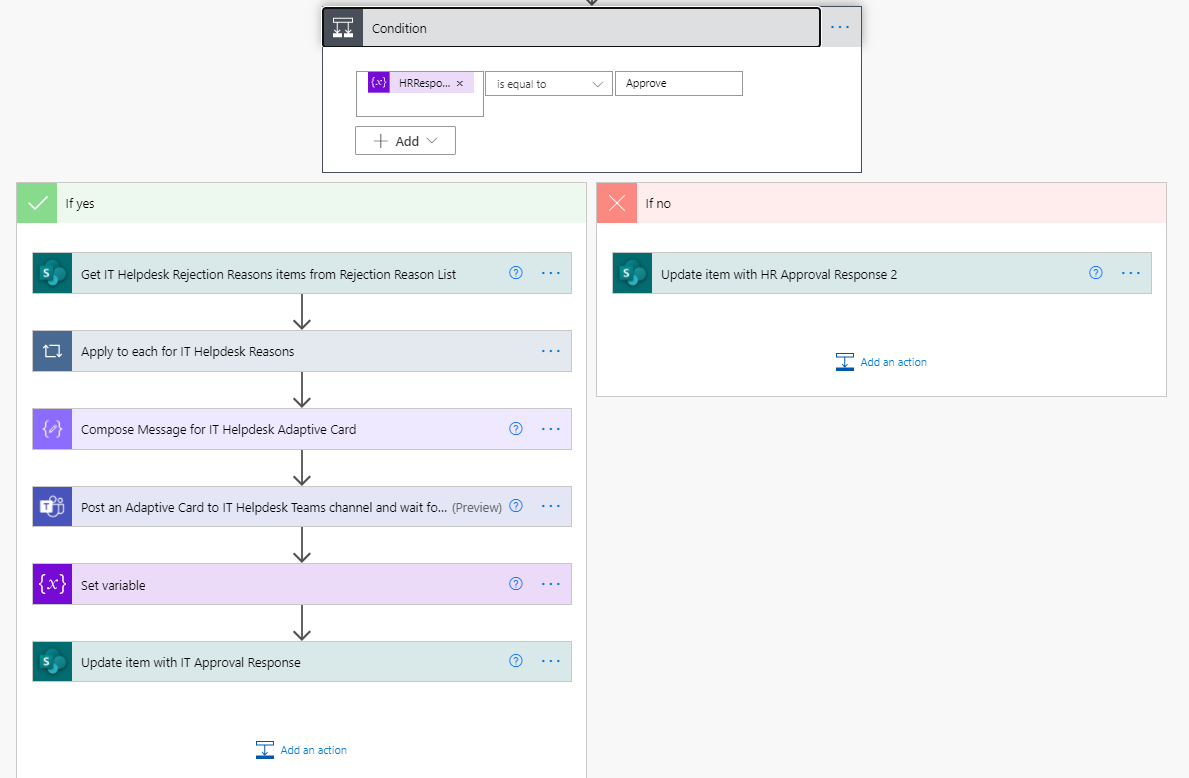
In this demo the First Approval request goes to the Human Resource Channel in the Operations Team. Once the request is approved by the Human Resource Team, it is then forwarded for Second level Approval & Fulfilment to the IT Helpdesk Channel in the Operations Team. If the request is rejected by the HR, it will not be presented to the IT Helpdesk for fulfilment.
This kind of dynamic filtering can be achieved by using content from SharePoint Lists.

CEO at Penthara Technologies



Monthly updates, news & events from Microsoft to help your business grow.
 What's new in Microsoft | July 2026 Updates
Explore the latest Microsoft 365 updates including Copilot enhancements, AI meeting recaps, Teams improvements, and new productivity features.
 What's new in Microsoft | June 2026 Updates
Explore the latest Microsoft 365 updates including Copilot enhancements, AI meeting recaps, Teams improvements, and new productivity features.
 What's new in Microsoft | May 2026 Updates
Explore the latest Microsoft 365 updates including Copilot enhancements, AI meeting recaps, Teams improvements, and new productivity features.