
What's new in Microsoft | October 2026 Updates

Explore the latest Microsoft 365 updates including Copilot enhancements, AI meeting recaps, Teams improvements, and new productivity features.
SHARE THIS BLOG:
Table of contents
A. Microsoft Copilot
• Microsoft 365 Copilot: New Home experience with Chat and Cowork
• Microsoft Copilot: Projects in Copilot Chat
• Microsoft 365 Copilot: Autopilot, an always-on personal agent
• Microsoft 365 Copilot: Refreshed design in Word, Excel, and PowerPoint
• Microsoft 365 Copilot: Skills in Copilot Chat
• Microsoft 365 Copilot: Role-based plugins in Cowork
• Microsoft 365 Copilot: OneNote and Planner capabilities in Cowork
• Microsoft 365 Copilot: Reference previous chats and tasks in Cowork
• Microsoft 365 Copilot: Copilot Workspaces
• Microsoft 365 Copilot: Create and edit Office files in Copilot Workspaces
• Microsoft Edge: Simplified Copilot experience

A. Microsoft Copilot

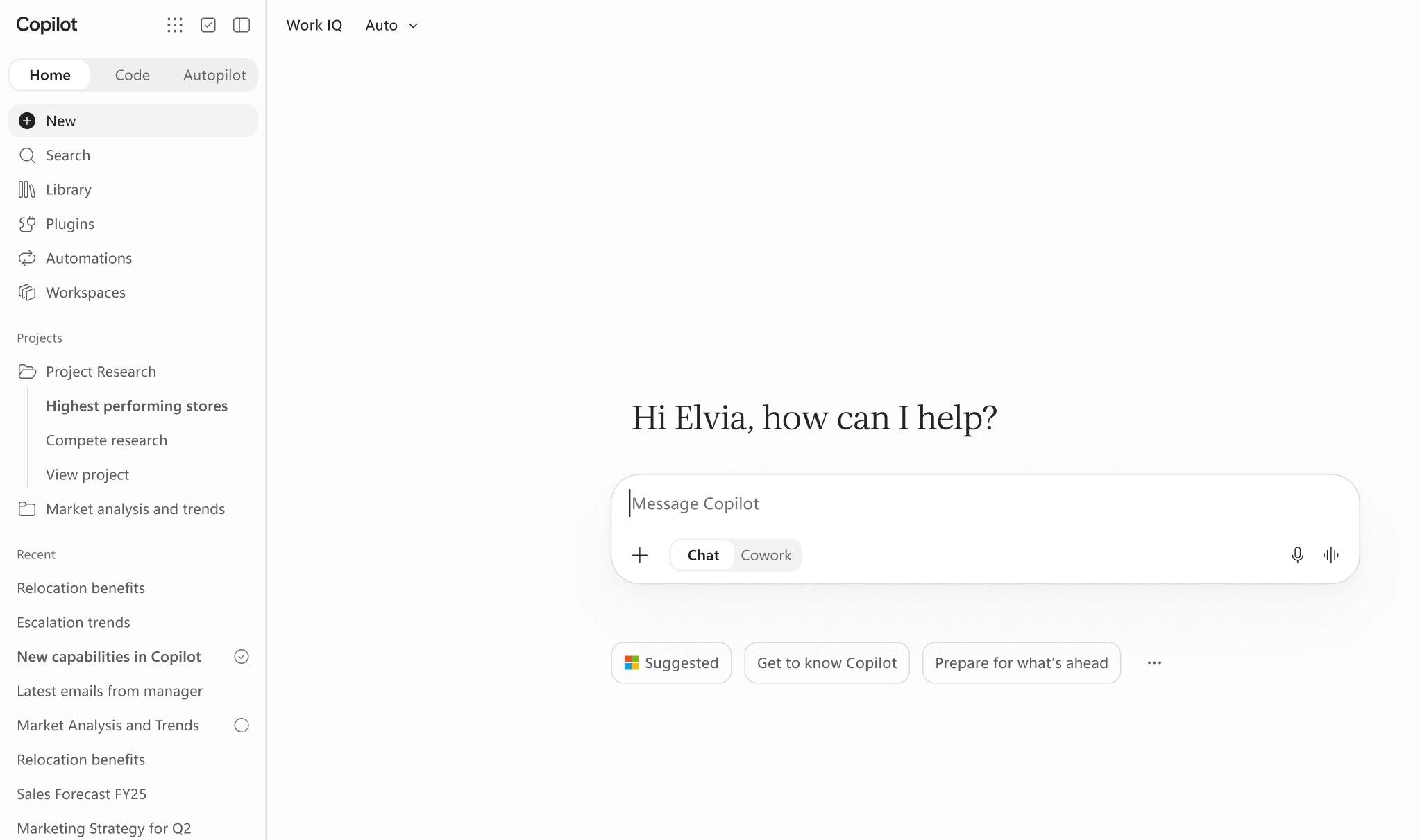
Microsoft 365 Copilot: New Home experience with Chat and Cowork

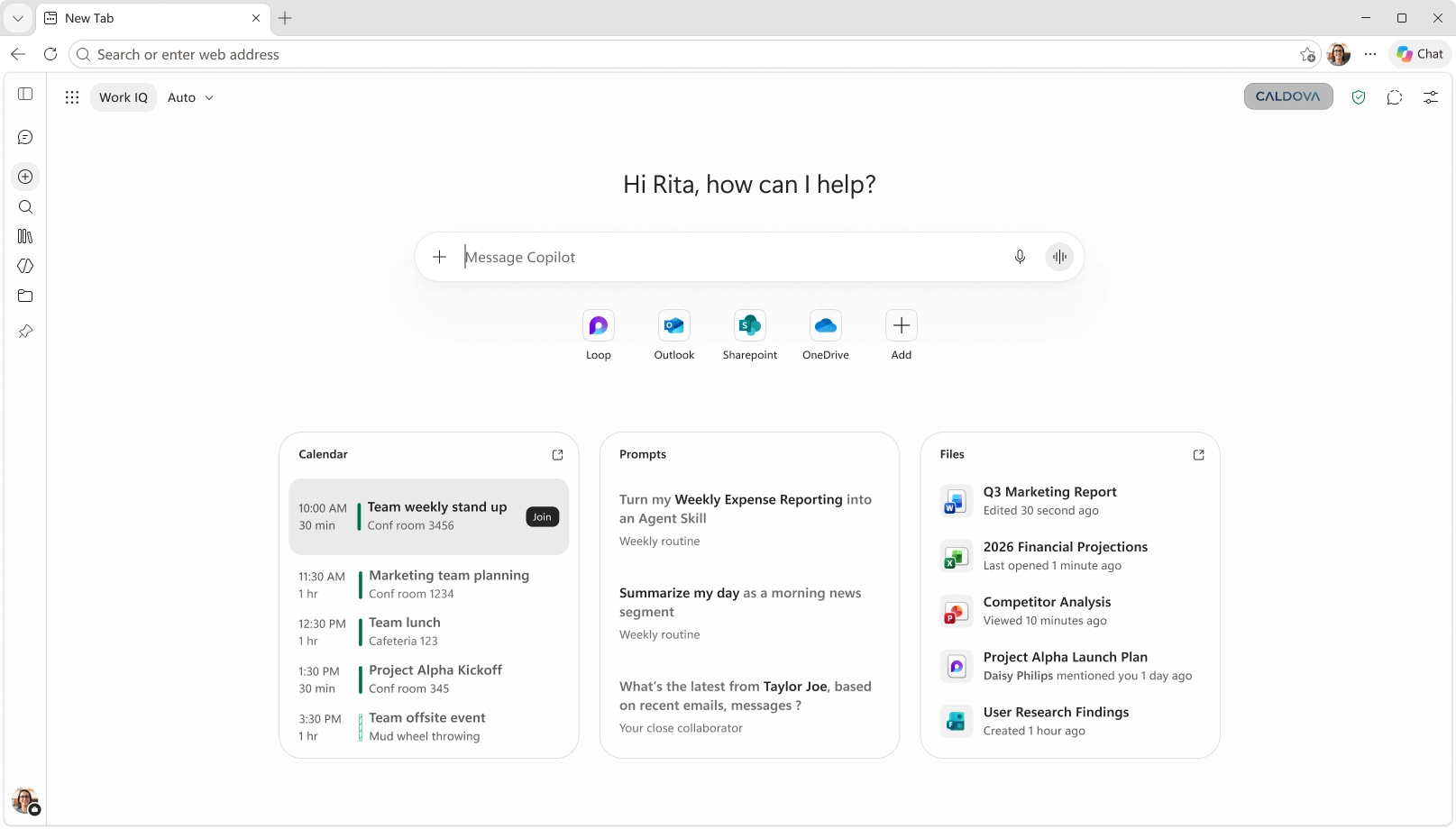
Copilot Home is becoming the central starting point for work in the Copilot app, bringing Chat and Cowork together with a shared navigation pane. Users can ask questions, explore ideas, create drafts, or delegate complex, multi-step tasks from one place.

When this will happen

  • Frontier: Rolling out in October.
  • Worldwide: Rolling out in November.

How this affects your organization

What will happen:

  • Chat and Cowork: Users can access Chat for questions, ideas, actions, and first drafts, or Cowork for delegating complex tasks.
  • Plugins: A centralized location to discover and access agents, skills, and connectors.
  • Automations: Users can schedule Cowork tasks or trigger them based on specific events.
  • Workspaces: Teams can collaborate with Copilot in shared spaces for ongoing workstreams.
  • Projects: Related tasks, instructions, and context can be organized together.
  • Combined conversation history: Chat and Cowork conversations appear in one history with search and filters, helping users find previous discussions more easily.

Microsoft Copilot: Projects in Copilot Chat

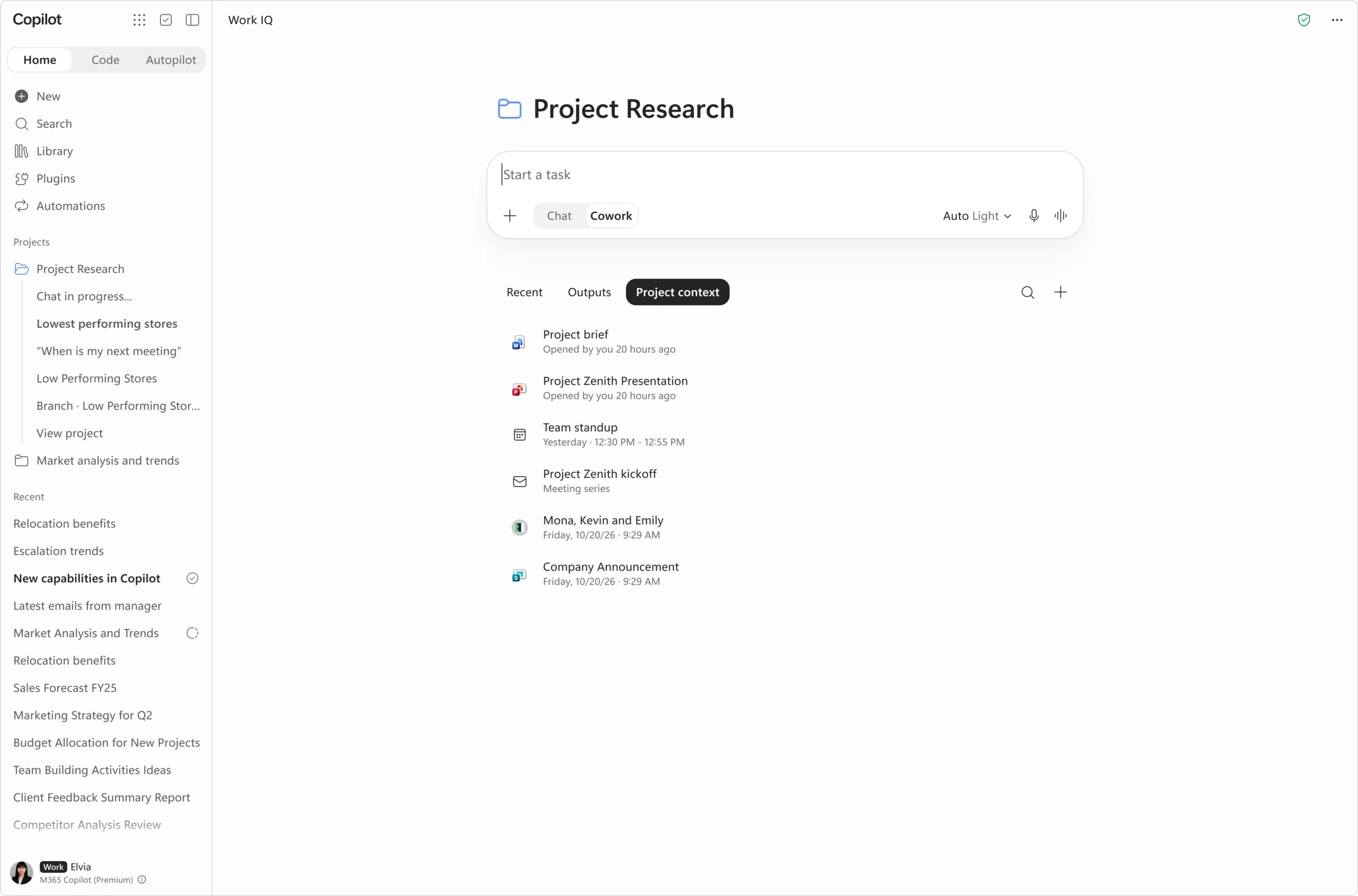
Projects provide a dedicated space to organize related chats, tasks, instructions, and context. Users can add files, meetings, chats, and tasks as shared context, helping maintain consistency across ongoing work.

When this will happen

  • Cowork: Rolled out in October 2026.
  • Copilot Chat: Rolling out in November 2026.

How this affects your organization

What will happen:

  • Users can set project-level instructions that apply across related work.
  • Files, meetings, chats, and tasks can be added as shared project context.
  • Files created by project tasks are accessible through a centralized Outputs view.
  • Each project can focus on a specific topic, helping users continue work without rebuilding context.

Microsoft 365 Copilot: Autopilot, an always-on personal agent

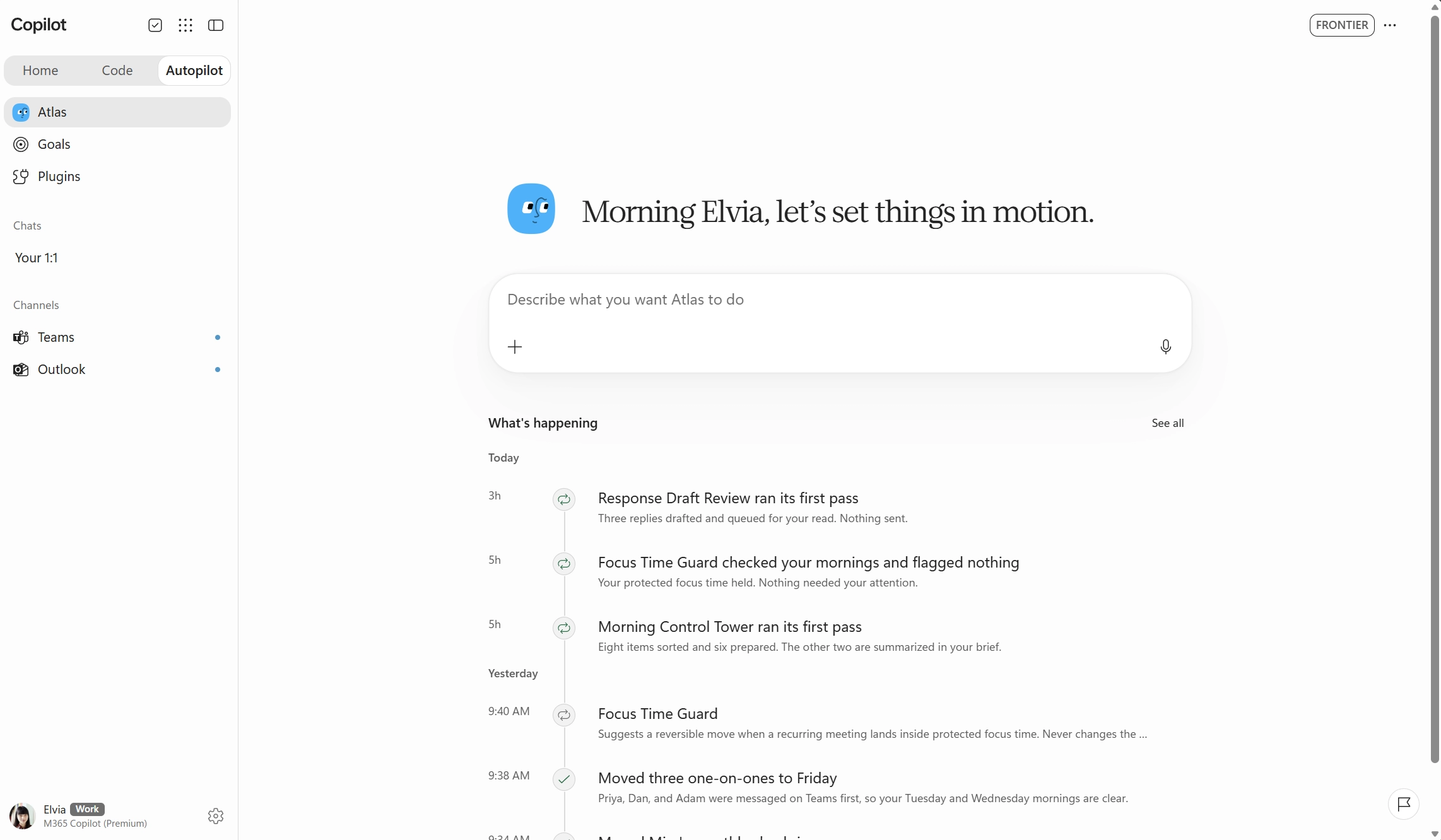
Autopilot is an always-on, cloud-based personal agent that helps users manage work by carrying tasks forward based on defined goals. Persistent context and memory help it stay aligned with priorities across Microsoft 365.

When this will happen

Frontier: Rolling out in November 2026.

How this affects your organization

What will happen:

  • Users can assign goals to Autopilot without directing every step.
  • Autopilot has its own account, mailbox, and files to carry work forward.
  • It can collaborate with teammates when enabled and is accessible through existing Microsoft 365 experiences.
  • It can work across local files and its own remote computer.
  • Access controls, approval guardrails, and supported information-protection and compliance capabilities help protect sensitive information and keep consequential actions under human control.
  • With Agent 365, organizations can monitor usage, manage and govern access, assess risks, and measure business value to guide adoption.

Microsoft 365 Copilot: Refreshed design in Word, Excel, and PowerPoint

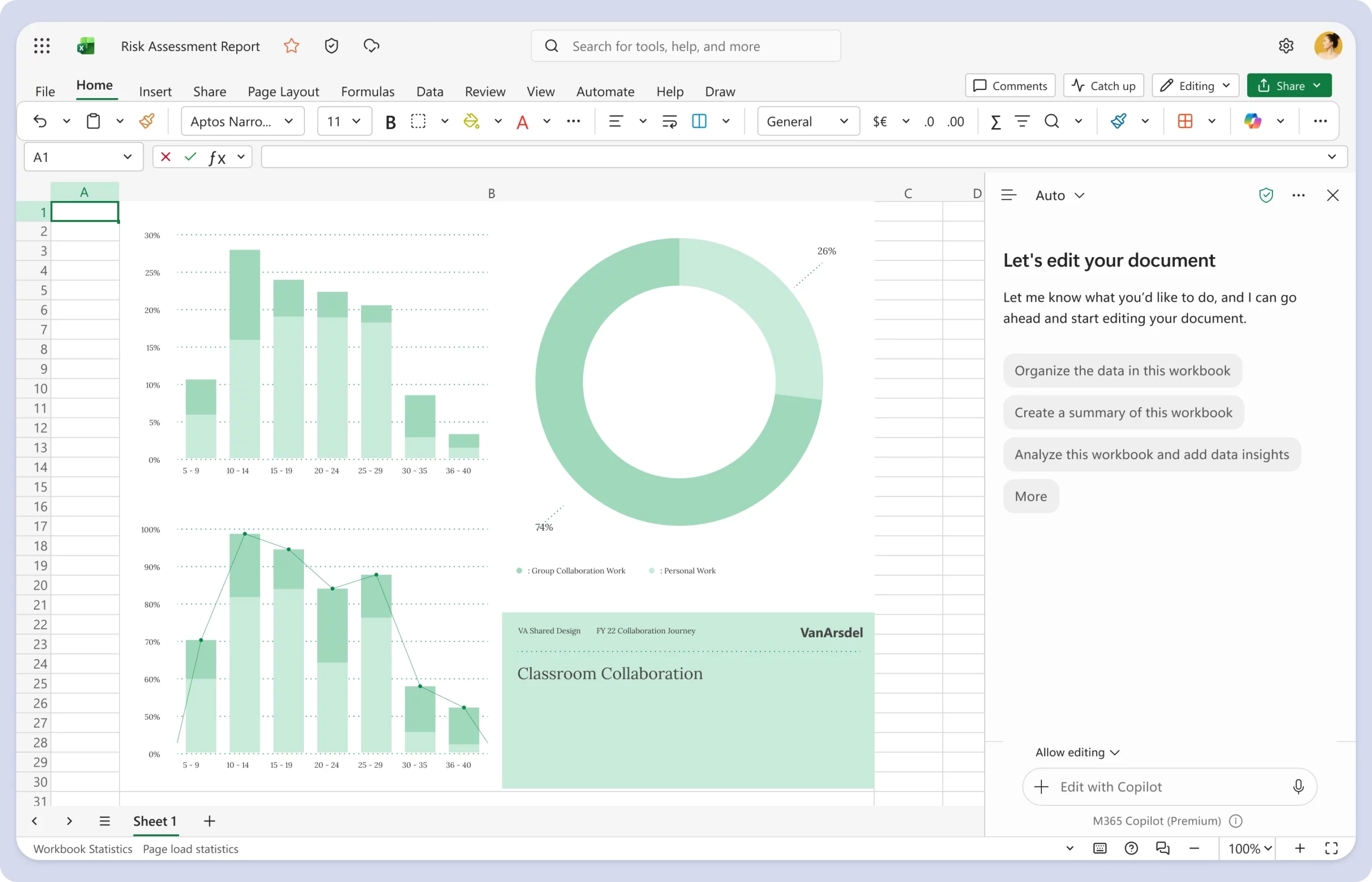
Copilot experiences in Word, Excel, and PowerPoint are getting a refreshed design aligned with the Copilot app for a more consistent user experience. The update simplifies chat and response layouts and improves navigation.

When this will happen

Rolled out in October 2026.

How this affects your organization

What will happen:

  • Copilot chat and response layouts will be simplified.
  • Navigation will be improved across Word, Excel, and PowerPoint.
  • The design will align with the Copilot app for a more consistent experience.

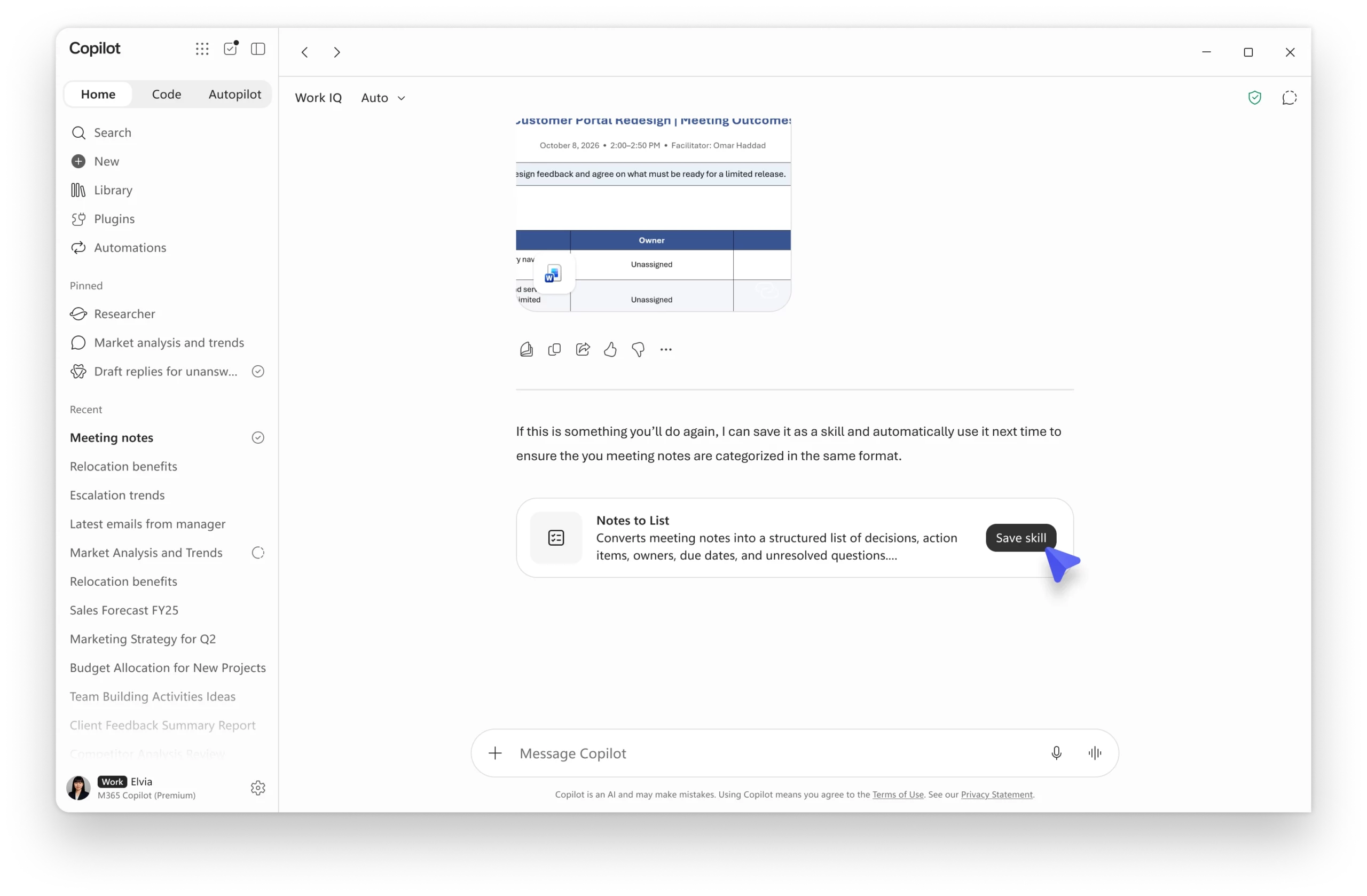
Microsoft 365 Copilot: Skills in Copilot Chat

Skills help turn expertise into reusable capabilities that Copilot can apply automatically, enabling faster execution, consistent results, and knowledge sharing across teams. Skills are expanding from Cowork to Copilot Chat, bringing reusable expertise into everyday workflows.

When this will happen

Rolling out in November 2026.

How this affects your organization

What will happen:

  • Users can create their own skills directly in Copilot Chat using natural language.
  • Users can discover skills shared by colleagues or their organization through the Plugins section.
  • Users can choose when and how skills are used in their workflows.
  • Reusable instructions and expertise can help teams scale consistent practices across Copilot experiences.

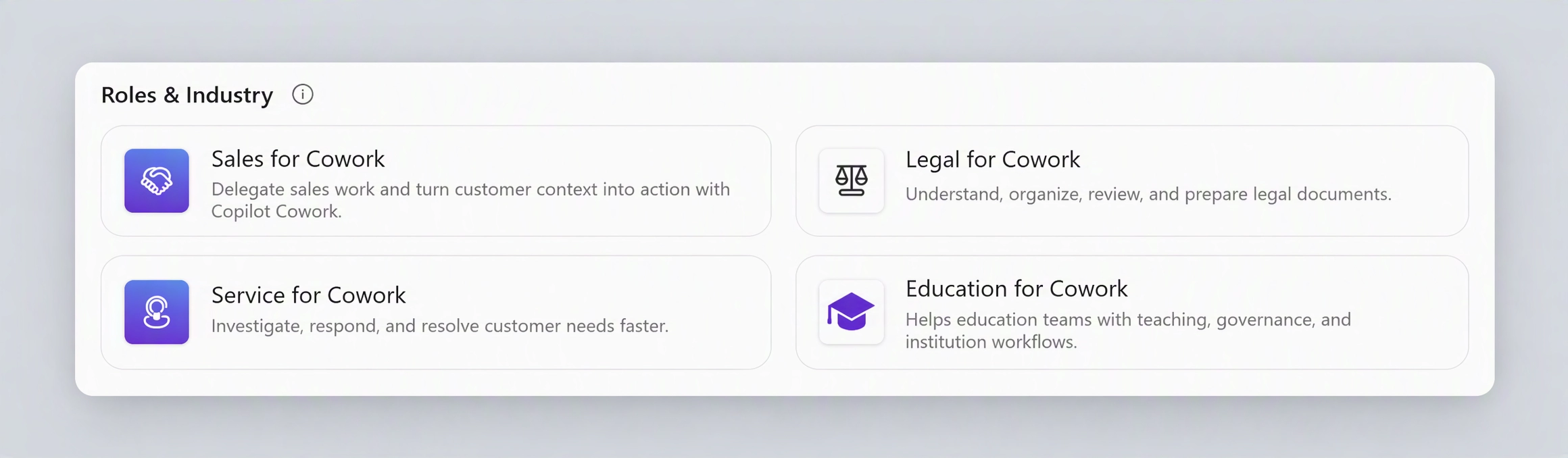
Microsoft 365 Copilot: Role-based plugins in Cowork

Role-based plugins in Cowork provide pre-built skills for common business processes across Sales, Service, Education, Legal, and Finance. These plugins offer predefined workflows for specialized and repeatable tasks.

When this will happen

Rolled out in October 2026.

How this affects your organization

What will happen:

  • Users can access role-based plugins under Roles & Industry.
  • Pre-built skills support scenarios such as meeting preparation, case triage, accreditation evidence, and contract review against a playbook.
  • Users can start specialized work using predefined workflows instead of beginning with a blank prompt.

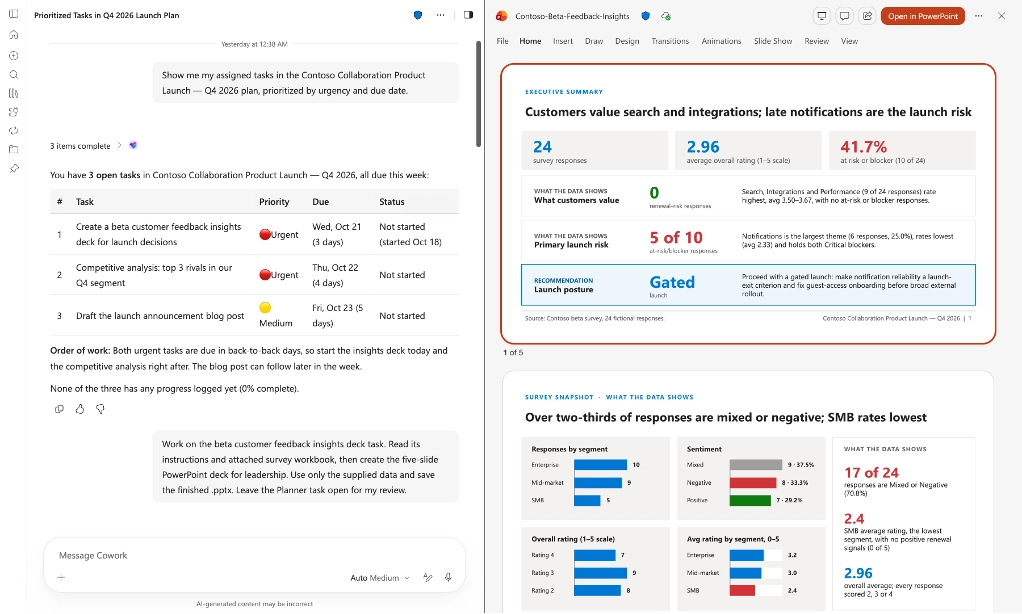
Microsoft 365 Copilot: OneNote and Planner capabilities in Cowork

OneNote and Planner capabilities bring users' notes, decisions, tasks, and plans into Cowork's working context. Users can move from planning and capturing information to executing related work across Microsoft 365 in one conversation.

When this will happen

  • Frontier: Rolled out in October 2026.
  • Worldwide: Rolling out in November 2026.

How this affects your organization

What will happen:

  • Cowork can read and update notebooks using the OneNote plugin.
  • Users can view, create, and update Planner plans, buckets, goals, and tasks using natural language.
  • OneNote and Planner context can support related work across Microsoft 365.
  • With user approval, progress can be written back to OneNote and Planner.

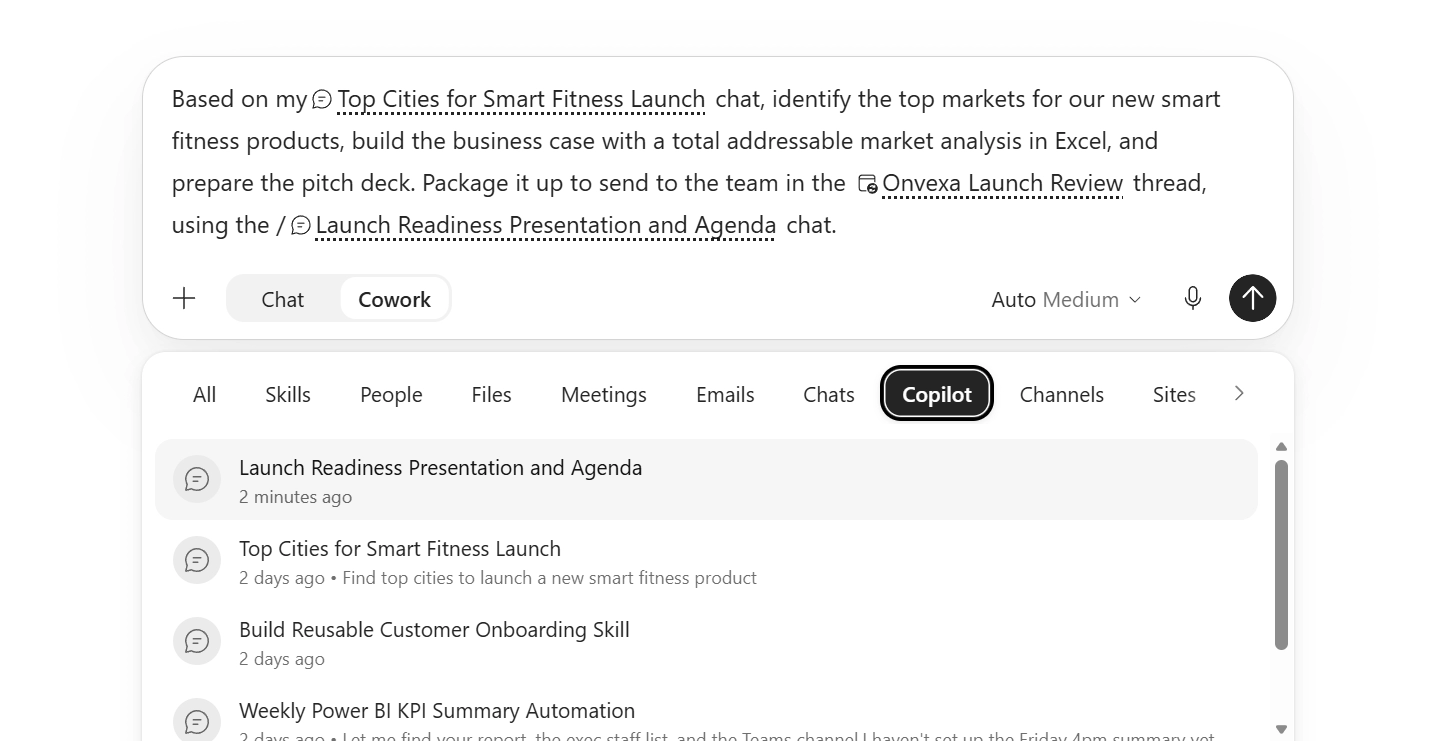
Microsoft 365 Copilot: Reference previous chats and tasks in Cowork

Cowork lets users reference previous Copilot Chat conversations and Cowork tasks in new requests, allowing them to build on earlier work without reestablishing context.

When this will happen

  • Rolled out in October 2026.

How this affects your organization

What will happen:

  • Users can add previous chats or tasks as context in their prompts, similar to referencing files or meetings.
  • Cowork can incorporate previous decisions and outputs into new tasks.
  • Users can move from initial exploration in Copilot Chat to more complex Cowork tasks.
  • Results from one task can be used as the starting point for another.

Microsoft 365 Copilot: Copilot Workspaces

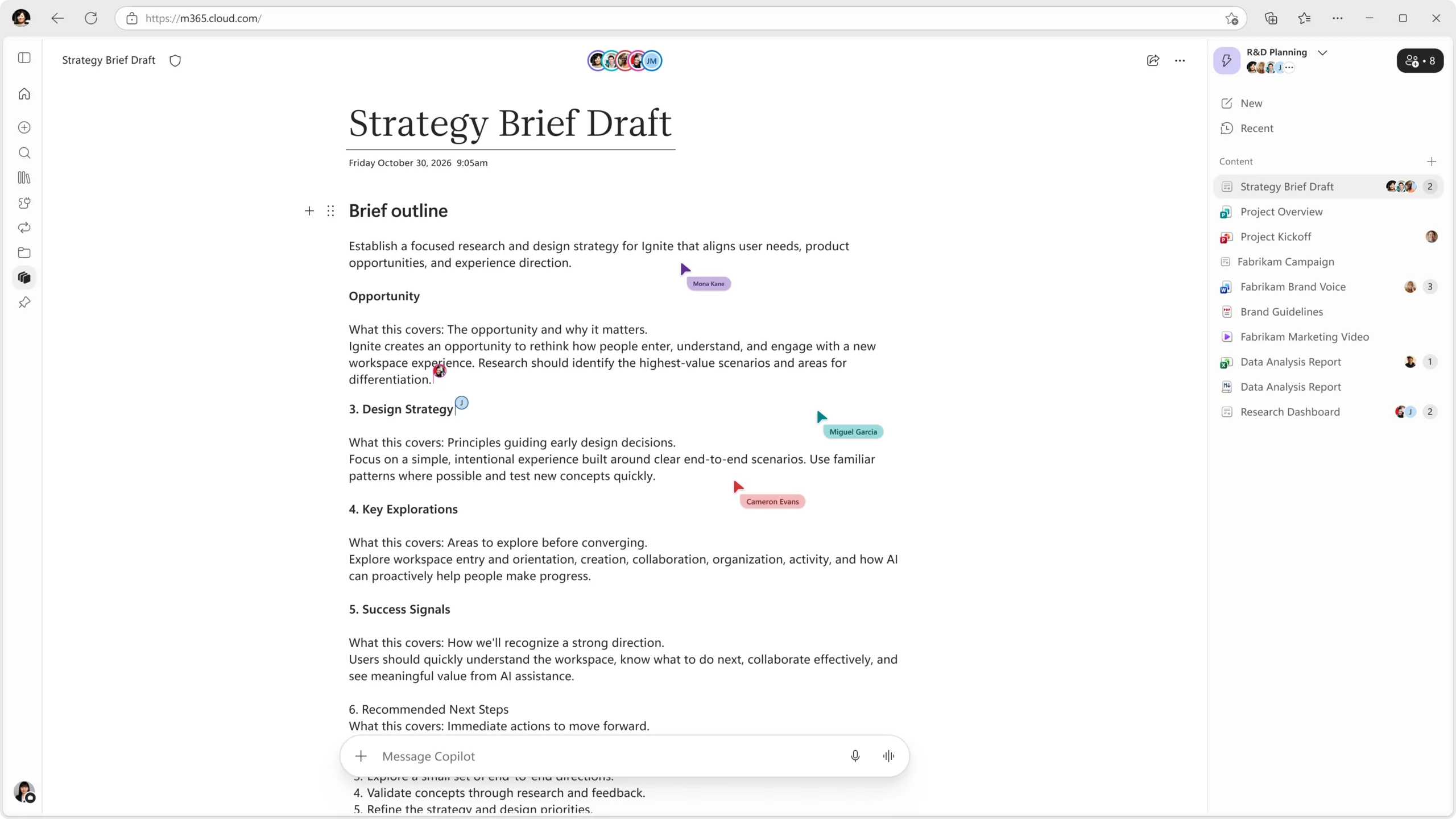
Copilot Workspaces provides teams with a shared space in the Copilot app to work alongside Copilot. Evolving from Copilot Notebooks, Workspaces brings context, team members, and working files together to support ongoing workstreams.

When this will happen

  • Frontier: Rolled out in October 2026.

How this affects your organization

What will happen:

  • Existing Copilot Notebooks will become Workspaces with an updated collaboration experience.
  • Teams can create, refine, and advance ongoing workstreams in a shared space.
  • Team members can collaborate across multiple documents simultaneously.
  • Live cursors allow users to see what others are working on.

Microsoft 365 Copilot: Create and edit Office files in Copilot Workspaces

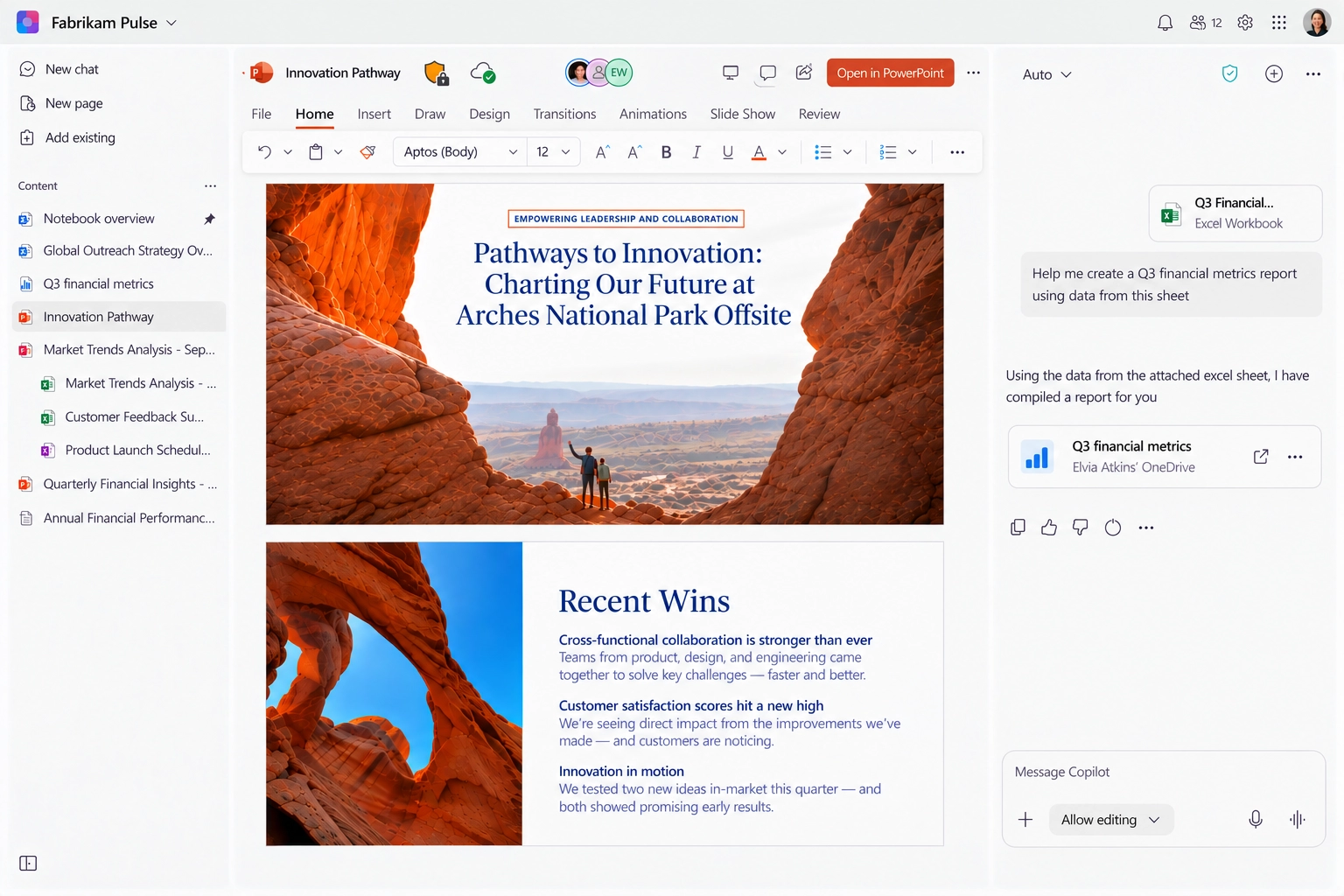
Copilot Workspaces now lets users create, edit, and collaborate on Word, Excel, and PowerPoint files directly within their workspace. Users can ask Copilot in chat to create or edit Office files and then refine them using Office capabilities without leaving the workspace.

When this will happen

  • Frontier: Rolled out in October 2026.
  • Worldwide: Rolling out in January 2027.

How this affects your organization

What will happen:

  • Users can create or edit Word, Excel, and PowerPoint files through Copilot chat.
  • Users can work directly in Office files within their workspace.
  • Content and workflows stay together as users move from Copilot assistance to editing and collaboration.

Microsoft Edge: Simplified Copilot experience

Copilot in Microsoft Edge is getting a simpler experience with an updated icon across all Copilot entry points and a streamlined Copilot sidepane. These changes provide a cleaner, more consistent way for users to access Copilot.

When this will happen

  • Rolled out in October 2026.

How this affects your organization

What will happen:

  • Copilot entry points across Edge will feature an updated icon.
  • The Copilot sidepane will have a streamlined design.
  • Existing security, compliance, privacy, and enterprise controls will remain unchanged.
Jasjit Chopra
Jasjit Chopra

CEO at Penthara Technologies

About the Author

Microsoft MVP LogoLinked-in

Jasjit Chopra is the CEO of Penthara Technologies and a Microsoft Most Valuable Professional (MVP) with over two decades of hands-on experience in Microsoft 365, SharePoint, and Security. He has led 100+ digital transformation projects across six countries, securing 50,000+ users, migrating 250+ TB of data, and automating processes that save organizations thousands of hours each year. A recognized leader at the crossroads of AI, security, and workplace modernization, Jasjit is passionate about simplifying complexity, mentoring technology professionals, and helping businesses build secure, intelligent, and future-ready digital environments.

Leave a Reply

Your email address will not be published. Required fields are marked *

More From This Category

What's new in Microsoft | September 2026 Updates

Explore the latest Microsoft 365 updates including Copilot enhancements, AI meeting recaps, Teams improvements, and new productivity features.

Read More
What's new in Microsoft | August 2026 Updates

Explore the latest Microsoft 365 updates including Copilot enhancements, AI meeting recaps, Teams improvements, and new productivity features.
Read More
What's new in Microsoft | July 2026 Updates

Explore the latest Microsoft 365 updates including Copilot enhancements, AI meeting recaps, Teams improvements, and new productivity features.

Read More
1 2 3 … 8
chevron-right