Explore the latest Microsoft 365 updates including Copilot enhancements, AI meeting recaps, Teams improvements, and new productivity features.

GPT-6 Astra is now available among the frontier models in Copilot Cowork and Copilot Studio, giving customers more choice for complex work they want to delegate to AI. Astra expands the range of tasks that can be handed off to Copilot, allowing users to delegate larger tasks instead of breaking them into smaller steps and guiding Copilot through each stage.
As more work is delegated, the quality of the outcome depends on both the model and the context available to it. Work IQ grounds GPT-6 Astra in users’ files, meetings, chats, and business data within existing permissions, helping provide more relevant and accurate responses.
Rollout timeline
GPT-6 Astra is rolling out today to users in Copilot Cowork and Copilot Studio. Availability may vary by region and organization.
Who is affected
Users of Copilot Cowork and Copilot Studio. Administrators can manage access and configure availability for their organization through the Microsoft 365 admin center.
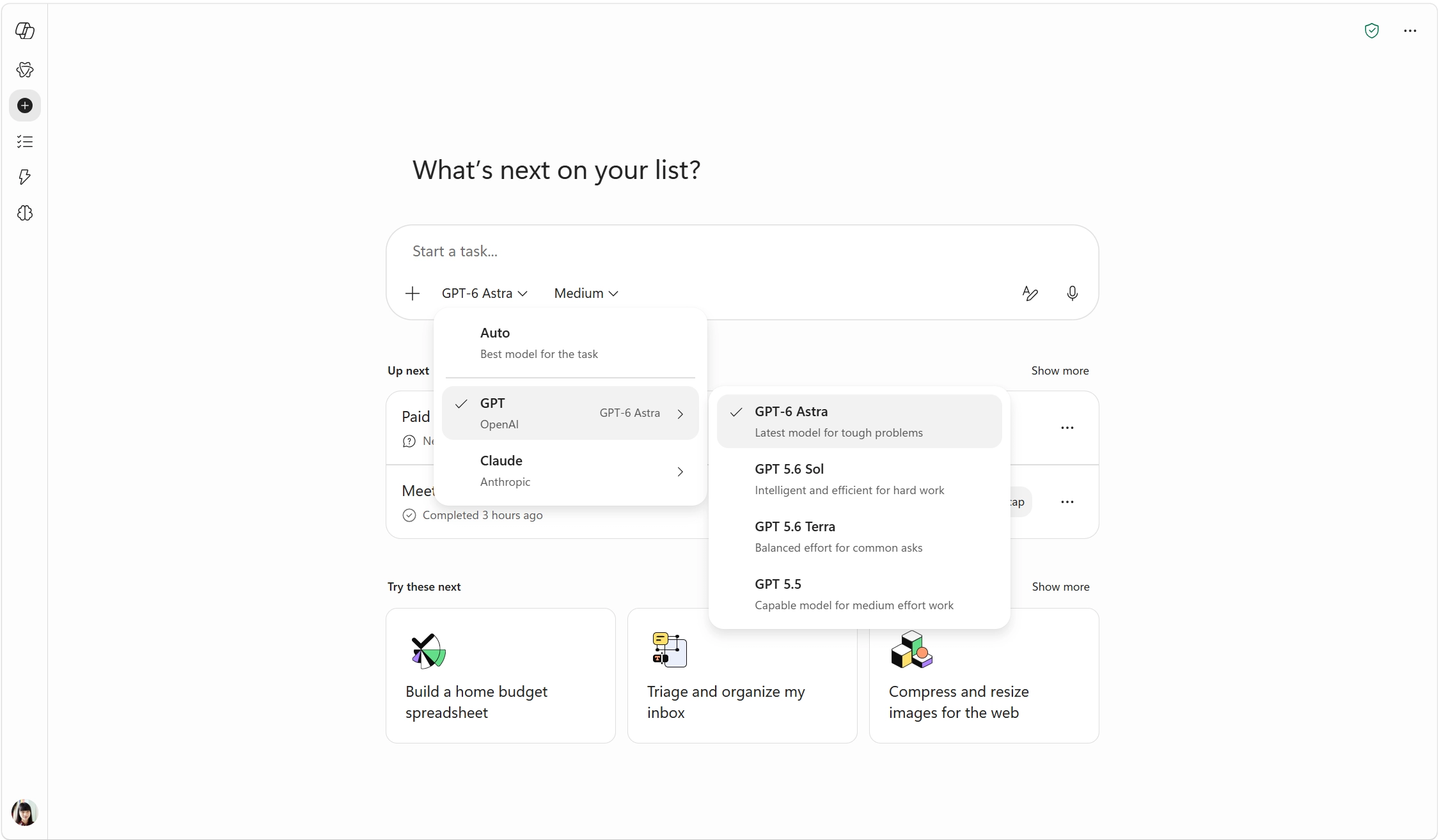
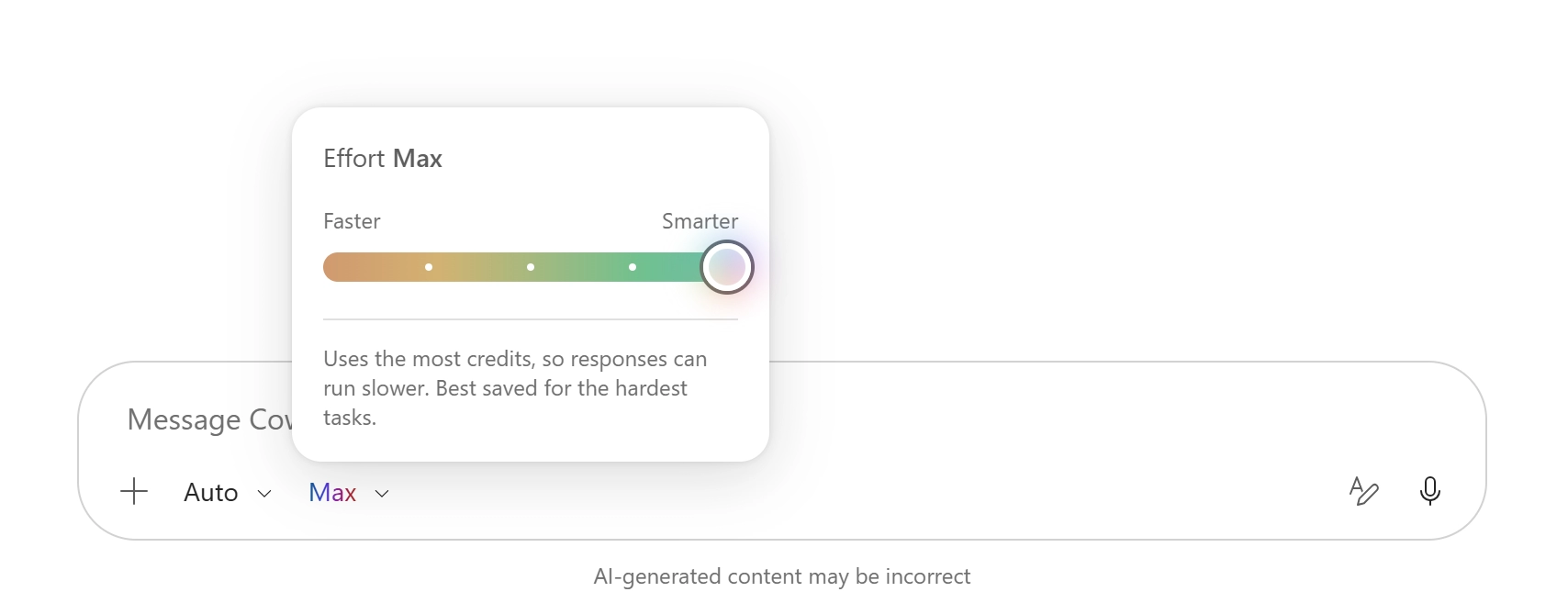
Users can now choose an effort level in Cowork to control the balance between response quality, speed, and credit usage. Medium is the default for everyday tasks, while Light is intended for simpler requests. High, Extra High, and Max provide more room for deeper analysis, complex reasoning, and more thorough responses, but may take longer and use usage limits faster.
Rollout timeline
This feature rolled out in August 2026.
What will happen
Model and effort controls now appear together directly in the compose box, allowing users to select the effort level that best fits their task.
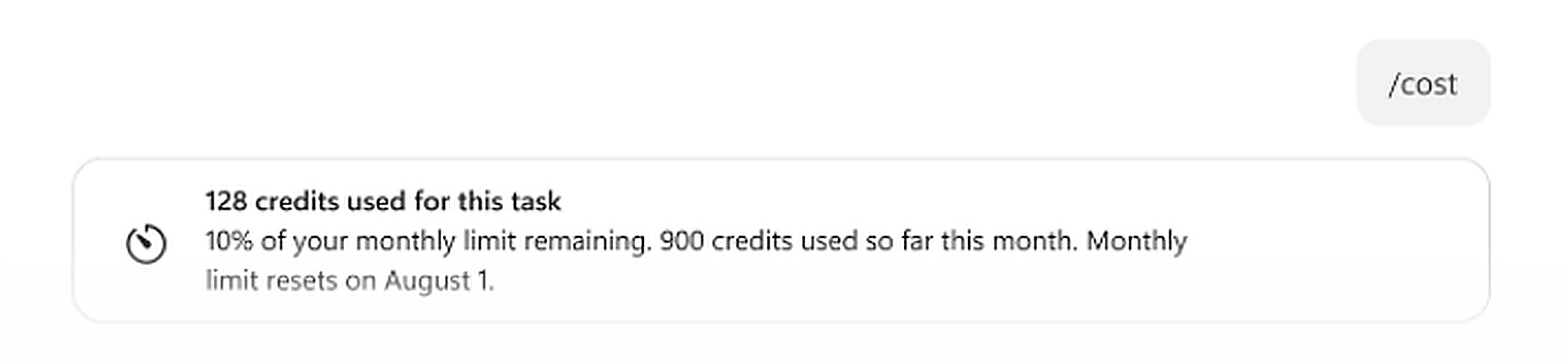
The /cost skill now provides greater visibility into Cowork credit usage. In addition to estimating credits used for the current task session, it now shows the percentage of the monthly credit limit remaining, credits used month to date, and the date when the monthly limit resets.
Rollout timeline
This feature rolled out in August 2026.
What will happen
When users run the /cost skill, they will see additional information about their monthly credit usage and remaining limit, helping them better understand and manage their Cowork usage.
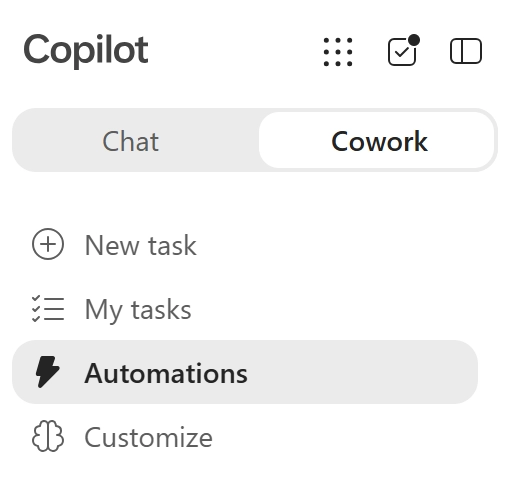
The Scheduled tab in Cowork is now called Automations. The updated section provides a single place for users to view and manage all automated tasks, including scheduled tasks and tasks triggered by events.
Rollout timeline
This feature rolled out in August 2026.
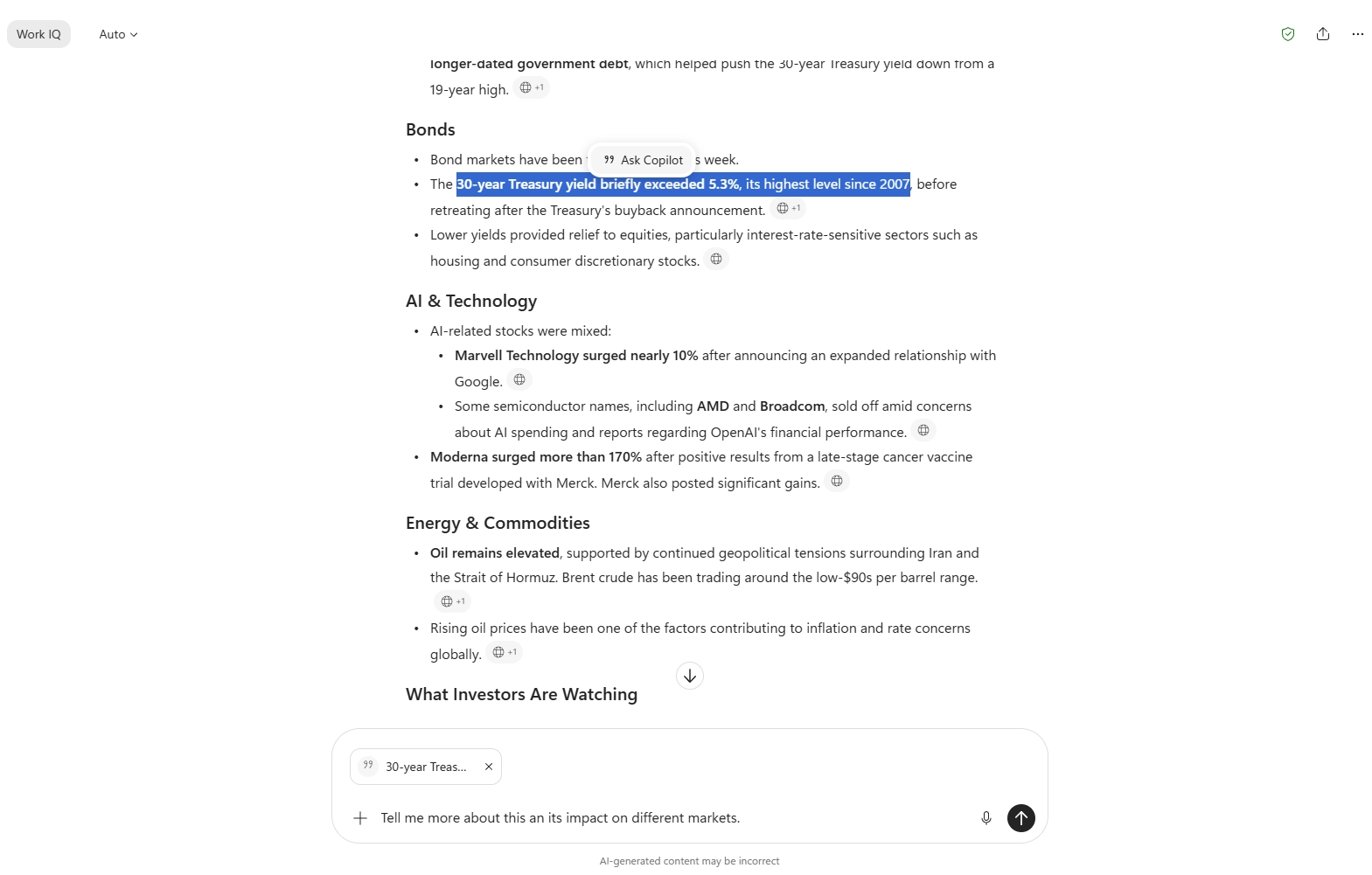
Users can now select a sentence, paragraph, or table in a Copilot Chat response and ask Copilot to work only with the selected content. The selected text is previewed in the prompt before it is sent, enabling more focused explanations, summaries, translations, and next steps.
Rollout timeline
This feature rolled out in August 2026.
What will happen
Users can select specific content from a Copilot Chat response and use it as the sole context for their next prompt, making it easier to perform targeted actions without including unrelated content.
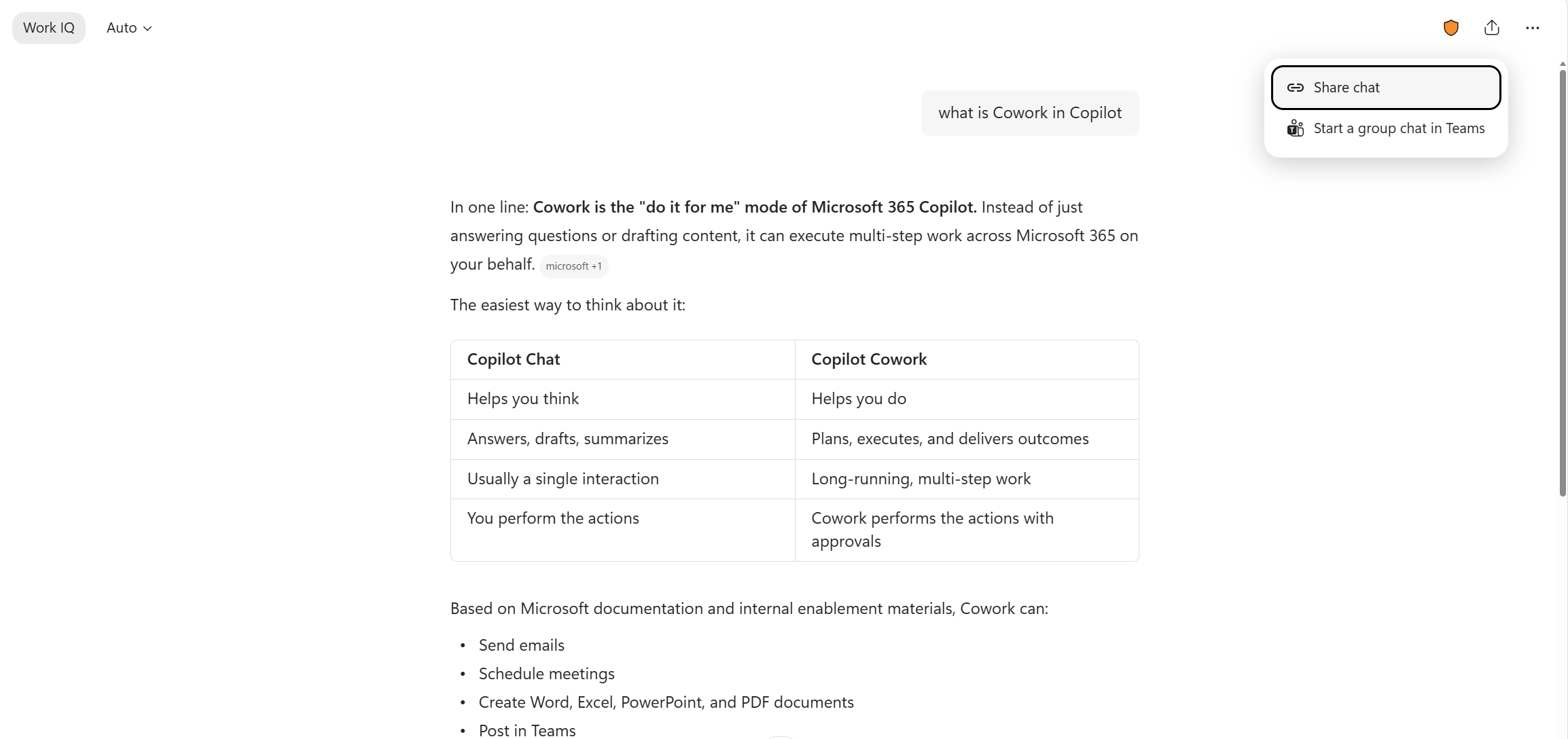
Copilot users can now share either a full chat session or an individual response through a link. Recipients receive a read-only view of the shared content and can continue the chat as their own, making it easier to reuse work and collaborate within organizational controls.
Rollout timeline
This feature rolled out in August 2026.
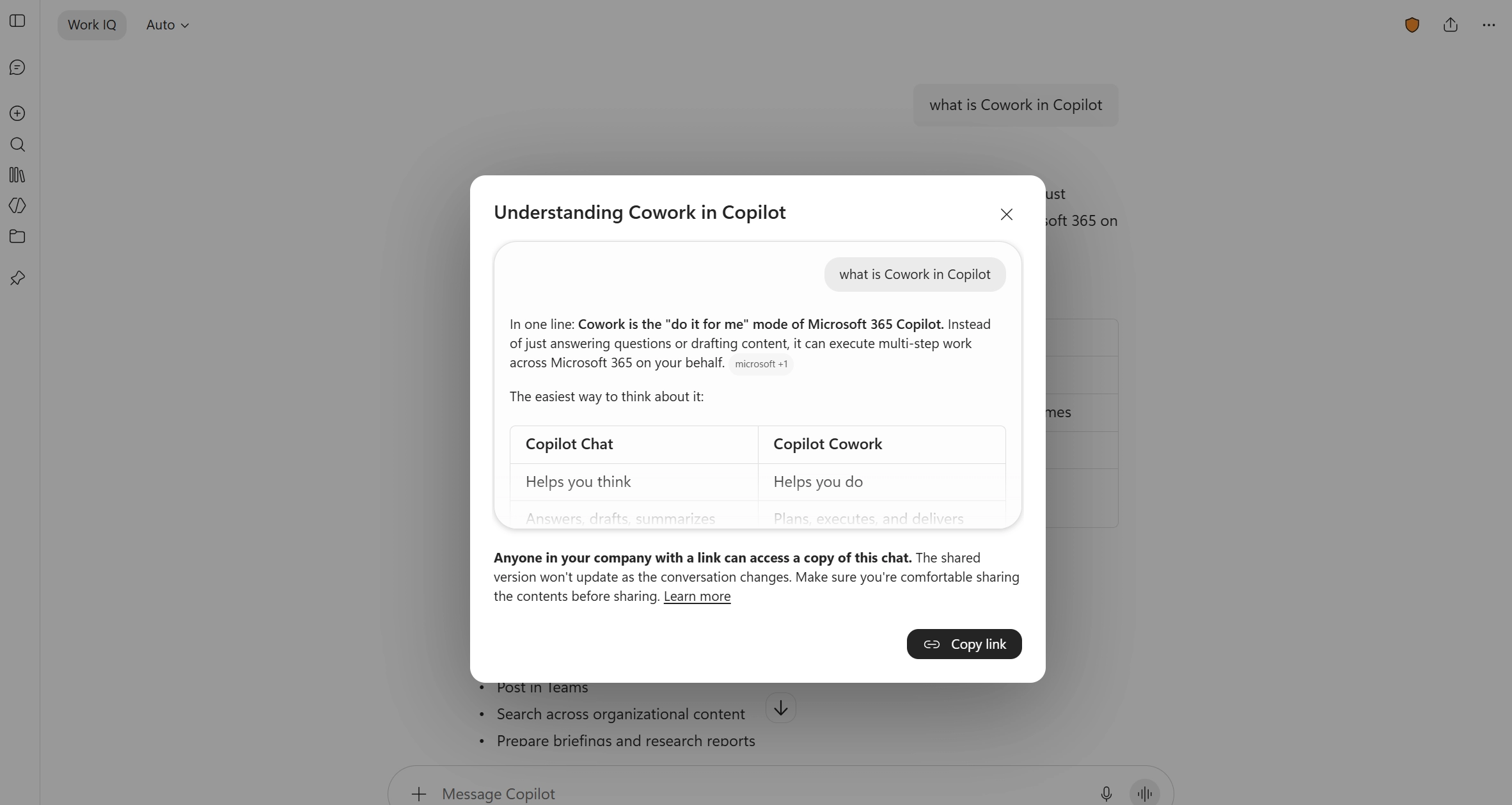
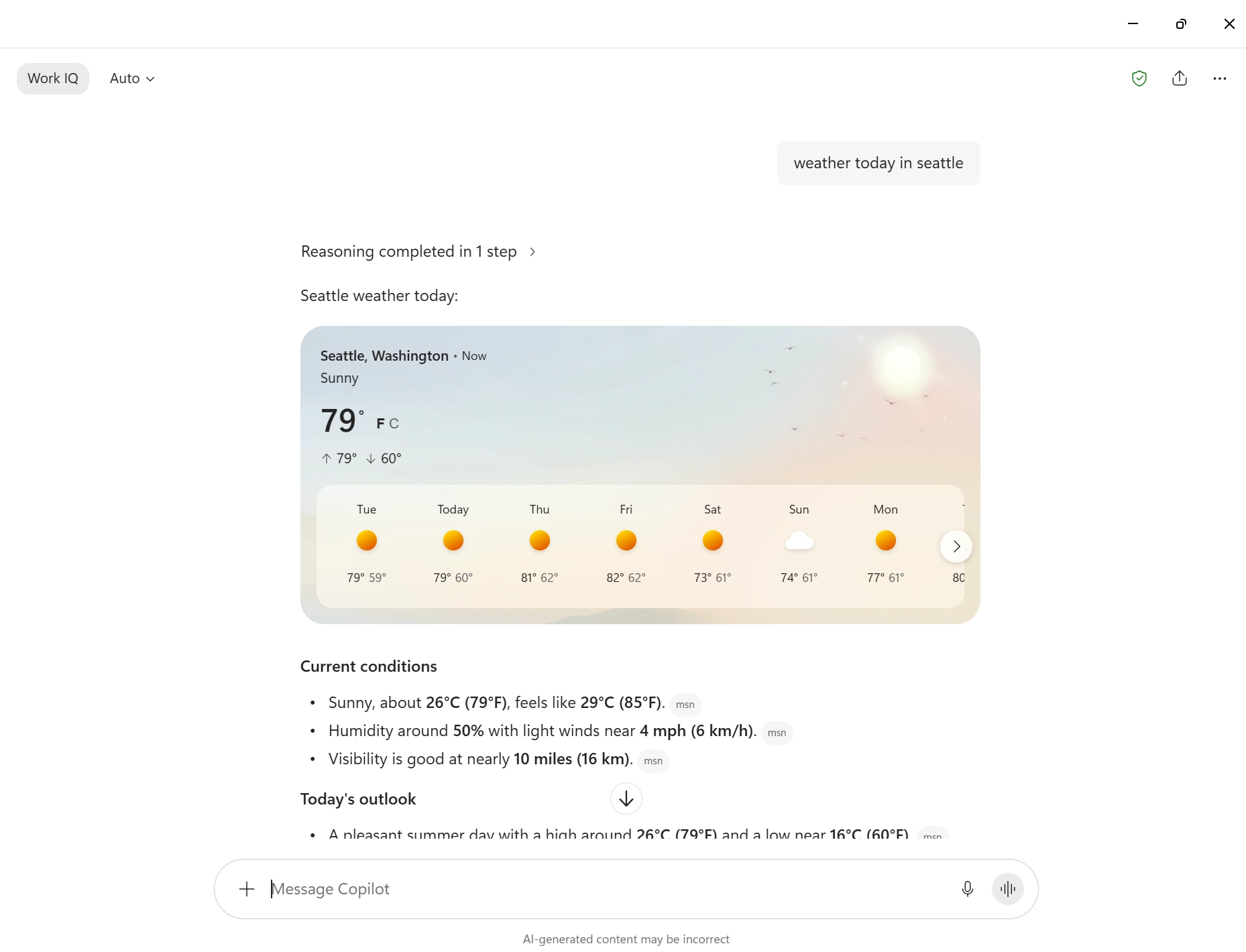
New model-driven answer cards can now dynamically display rich content in Copilot Chat, including weather, sports, finance, images, videos, places, and news. These cards provide richer, interactive answers for users with Entra or Microsoft accounts based on their prompts across supported Copilot experiences.
Rollout timeline
This feature rolled out in August 2026.
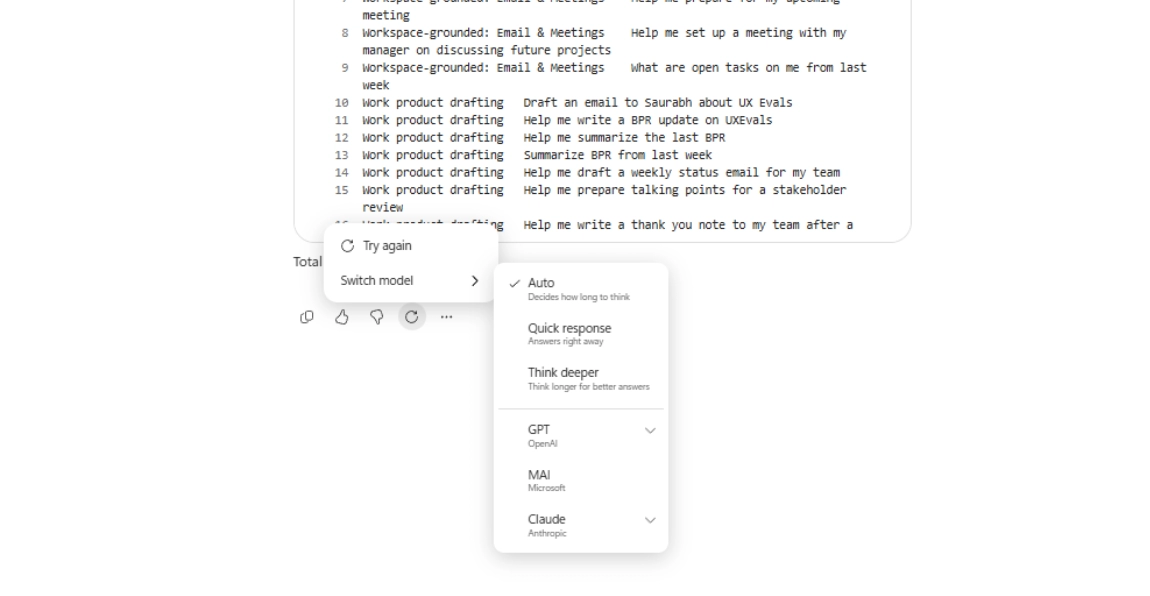
Users can now generate a new response to their latest prompt in Copilot Chat without starting a new conversation. They can select Try again to generate another response using the same model or select a different model and run the same prompt again. This makes it easier to explore alternative answers and refine output quality while keeping the conversation context intact.
Rollout timeline
This feature rolled out in August 2026.
Copilot Notebooks now provides two connected ways to work: a lightweight experience in the Copilot app and a workspace experience in OneNote. In the Copilot app, users can quickly chat with Copilot, explore references, and create artifacts. In OneNote, users get a workspace designed for deeper project work, expanded artifact creation, and team collaboration.
Notebooks stay in sync across the Copilot app and OneNote, allowing users to move between the two experiences without losing context.
Rollout timeline
This feature rolled out in August 2026.
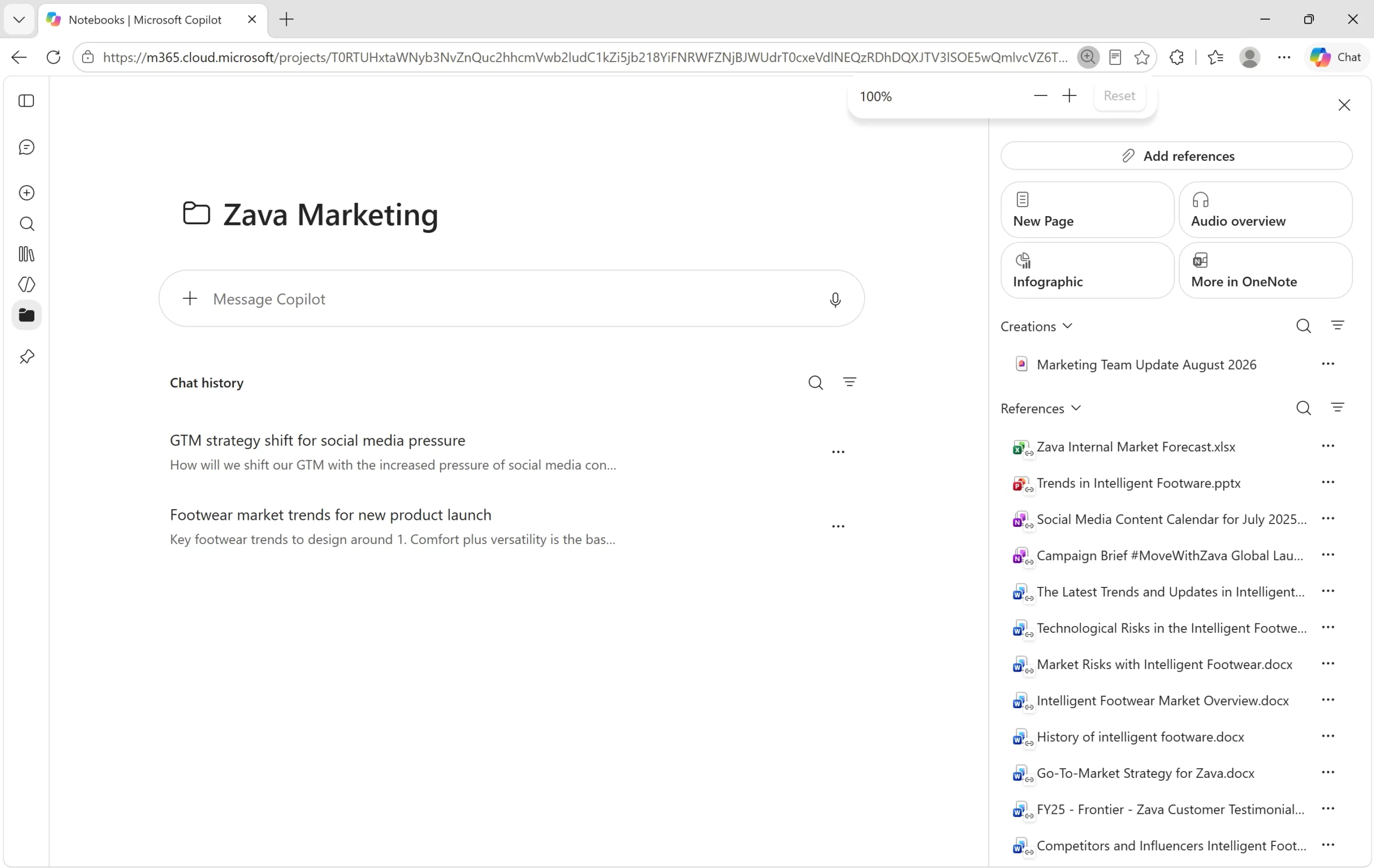
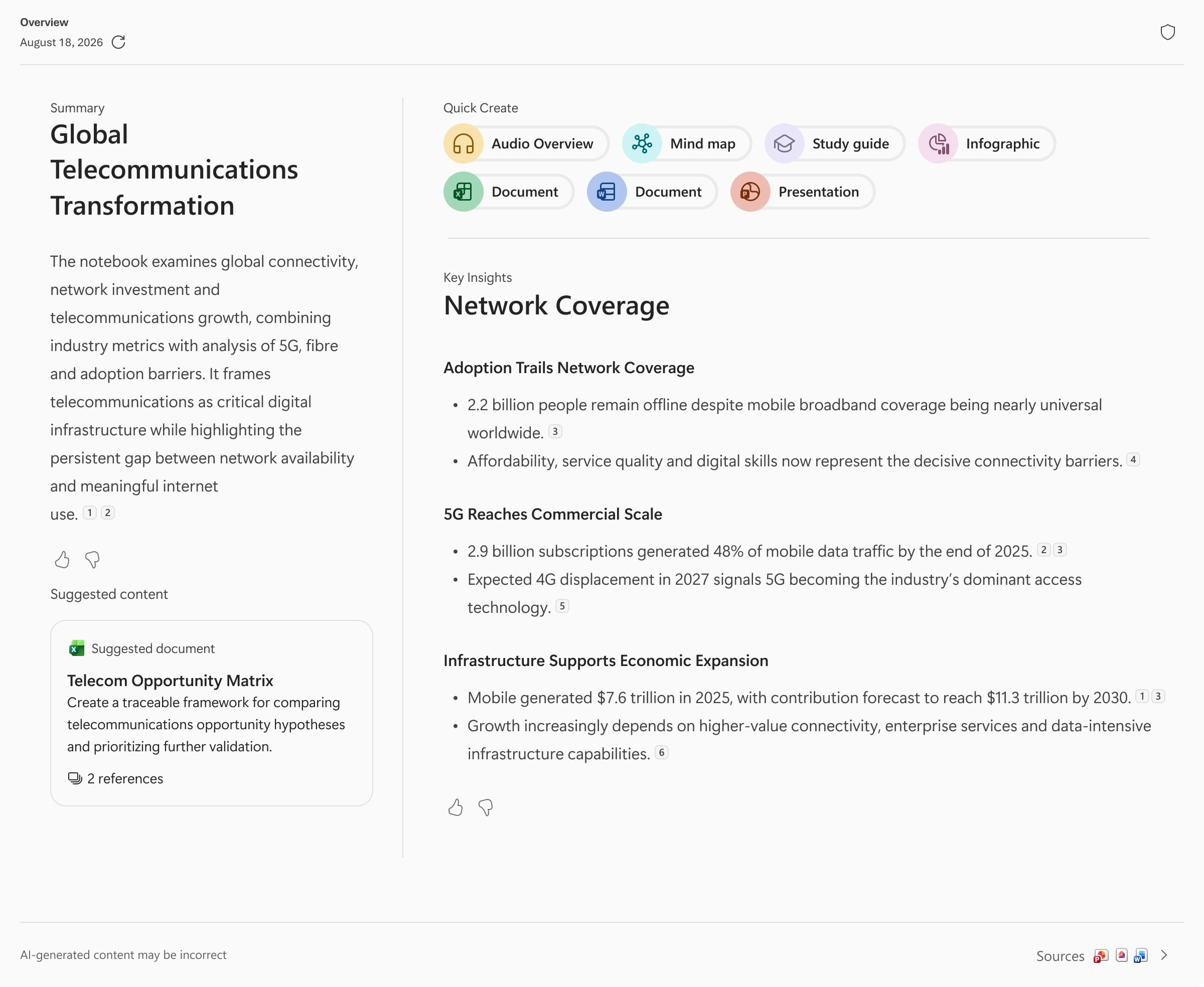
Copilot Notebooks can now proactively recommend relevant artifacts based on WorkIQ and notebook content. When users select a recommendation, Copilot generates a more specific Word, Excel, or PowerPoint artifact based on the content in their notebook and the context of their current project.
Rollout timeline
This feature rolled out in August 2026.
What will happen
Copilot will recommend relevant artifacts based on the user's notebook content and project context. Users can select a suggestion to generate a tailored Word, Excel, or PowerPoint artifact directly from their notebook.
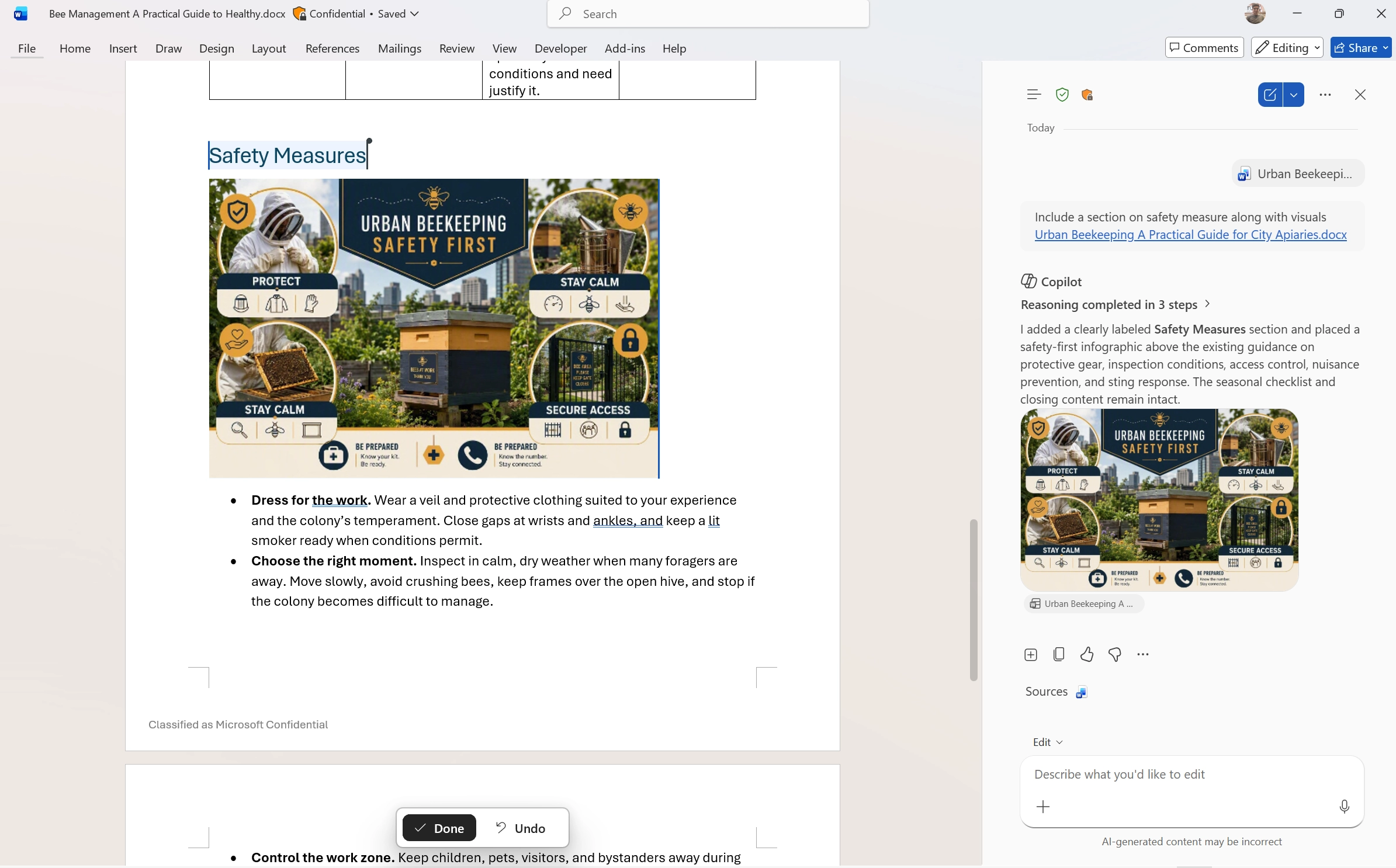
Copilot can now understand images in users’ reference documents and incorporate relevant visuals into the content it creates. When drafting a new document or building on existing materials, Copilot can use both text and images from referenced files to create more complete and contextually relevant documents.
Rollout timeline
This feature rolled out in August 2026.
What will happen
When users reference documents, Copilot can use relevant text and visuals from those files when generating content, helping produce more complete documents without requiring users to manually extract and provide images.
Monthly updates, news & events from Microsoft to help your business grow.

CEO at Penthara Technologies


 What's new in Microsoft | July 2026 Updates
Explore the latest Microsoft 365 updates including Copilot enhancements, AI meeting recaps, Teams improvements, and new productivity features.
 What's new in Microsoft | June 2026 Updates
Explore the latest Microsoft 365 updates including Copilot enhancements, AI meeting recaps, Teams improvements, and new productivity features.
 What's new in Microsoft | May 2026 Updates
Explore the latest Microsoft 365 updates including Copilot enhancements, AI meeting recaps, Teams improvements, and new productivity features.