What's new in Microsoft | May 2026 Updates

Explore the latest Microsoft 365 updates including Copilot enhancements, AI meeting recaps, Teams improvements, and new productivity features.

Table of contents
A. Microsoft Copilot
1. Microsoft 365 Copilot: Anthropic Claude Opus 4.8 now available
2. Microsoft 365 Copilot app: Refreshed chat-centered experience
3. Microsoft 365 Copilot: Updated Copilot Notebooks experience
4. Microsoft 365 Copilot: Generate Excel spreadsheets from Copilot Notebooks
5. Microsoft 365 Copilot: Infographics in Copilot Notebooks
6. Microsoft 365 Copilot and Copilot Studio: GPT-5.5 Instant now available
7. Microsoft Outlook: Account selector for Copilot in Calendar
8. Microsoft PowerPoint: New Copilot skills for presentations
B. Microsoft Teams
1. Microsoft PowerPoint Live: Reload updated presentations during meetings
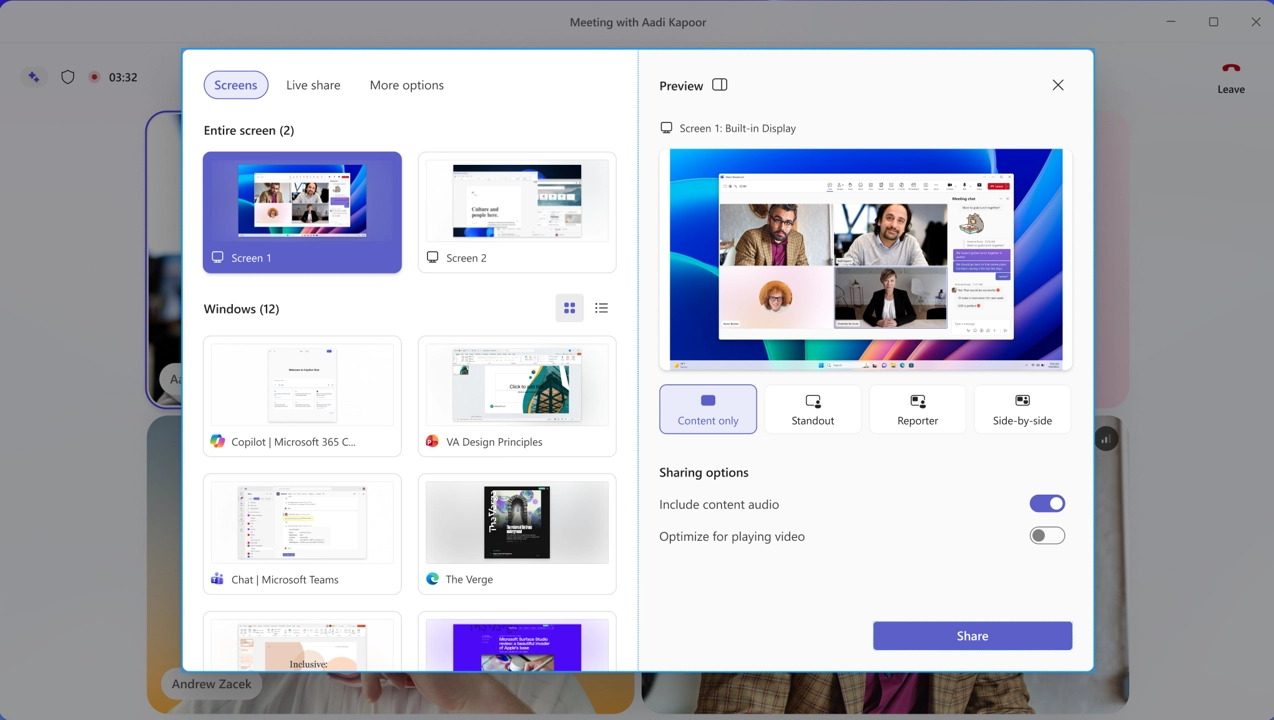
2. Microsoft Teams: Simplified meeting controls and redesigned share panel
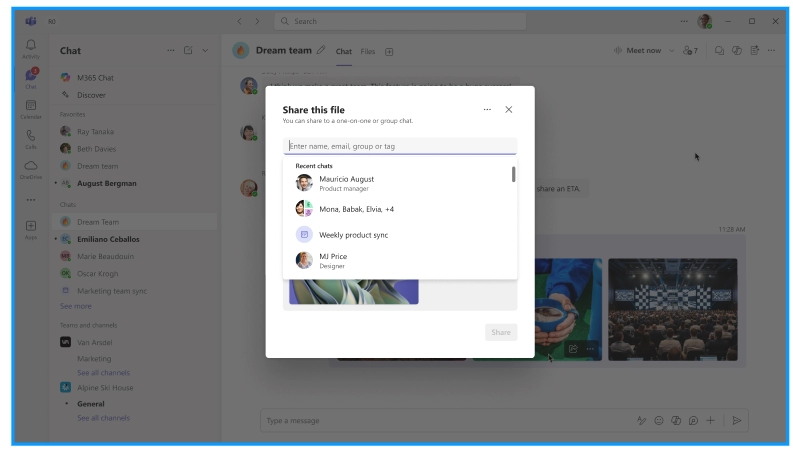
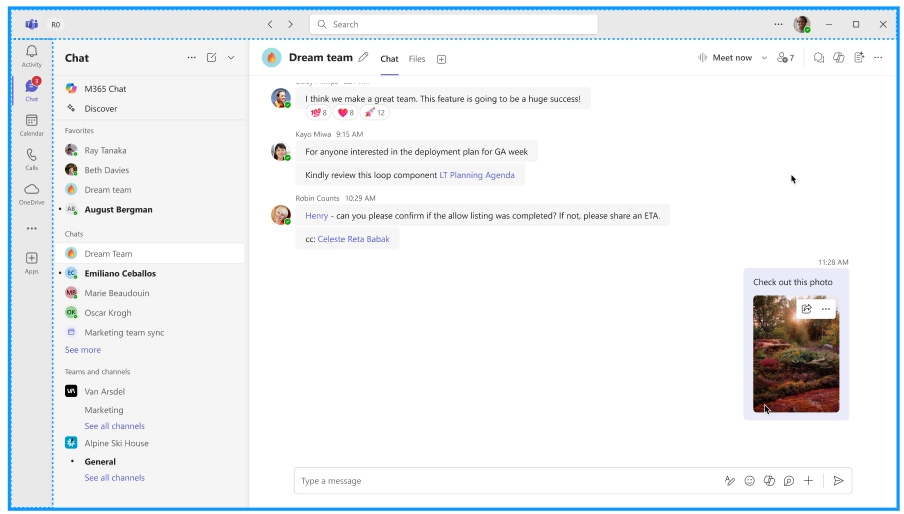
3. Microsoft Teams: Quick Share for images
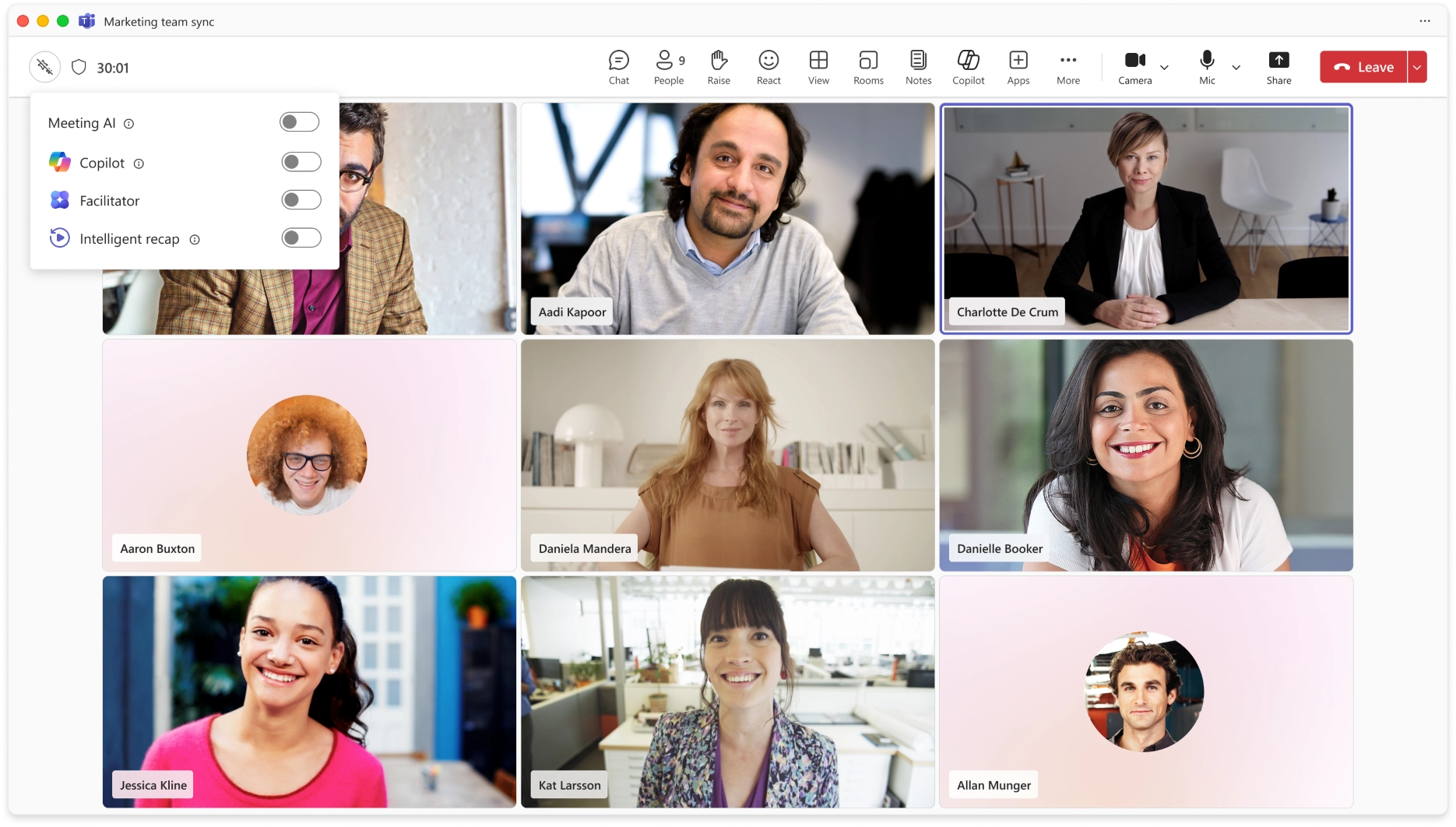
4. Microsoft Teams: In-meeting control for Meeting AI

A. Microsoft Copilot

1. Microsoft 365 Copilot: Anthropic Claude Opus 4.8 now available

Anthropic's Claude Opus 4.8 is now available in Microsoft 365 Copilot, expanding model choice for advanced work scenarios. The model is designed for complex, multi-step tasks and long-running workflows, with improvements in tool selection, instruction following, and task completion. It also delivers enhanced performance for drafting documents, analyzing data, and creating presentations.

When used with Work IQ, outputs are grounded in organizational data to provide more relevant and accurate results.

When this will happen
Available now.

What will happen:

  • Claude Opus 4.8 will be available as a model option in supported Microsoft 365 Copilot experiences.
  • The model supports complex reasoning, long-running workflows, and advanced content creation tasks.
  • Work IQ grounding can be used to incorporate organizational data into responses.
  • The model is available in Copilot Cowork (Frontier) and is rolling out to Copilot Studio early release cycle environments, Copilot Chat, Excel, and PowerPoint.

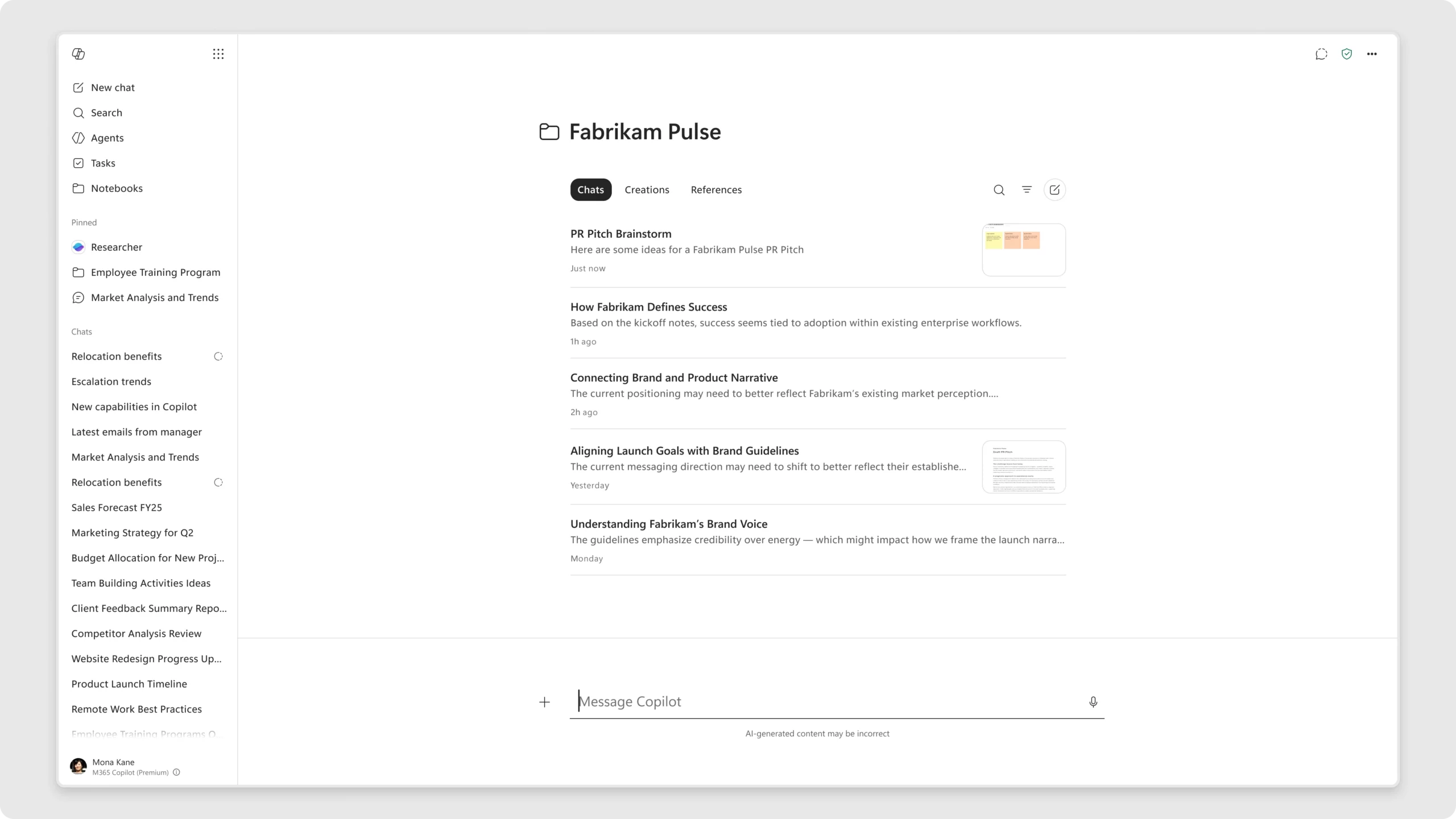
2. Microsoft 365 Copilot app: Refreshed chat-centered experience

The Microsoft 365 Copilot app is introducing a refreshed design focused on a more streamlined, chat-centered experience. These updates simplify the chat and response layout, improve navigation, and provide new ways for users to organize their work.

When this will happen
Rolling out in June.

How this affects your organization

What will happen:

  • Users will see a simplified chat and response layout.
  • Navigation within the Microsoft 365 Copilot app will be improved.
  • New capabilities for organizing work will be introduced.
  • The updated experience is designed to help users stay focused, maintain context, and work more efficiently.

3. Microsoft 365 Copilot: Updated Copilot Notebooks experience

Copilot Notebooks in the Microsoft 365 Copilot app is introducing an updated design to help users organize chats and work by project. The refreshed experience brings chats, created content, and references together in one place to support collaboration and ongoing work.

When this will happen
Rolling out in June.

How this affects your organization

What will happen:

  • Copilot Notebooks will feature a redesigned user experience focused on project-based organization.
  • Chats, output creations, and references will be available in a single workspace.
  • Copilot Notebooks in the Microsoft 365 Copilot app and OneNote will stay synchronized.
  • Users can move between the Microsoft 365 Copilot app and OneNote while working with the same notebook.

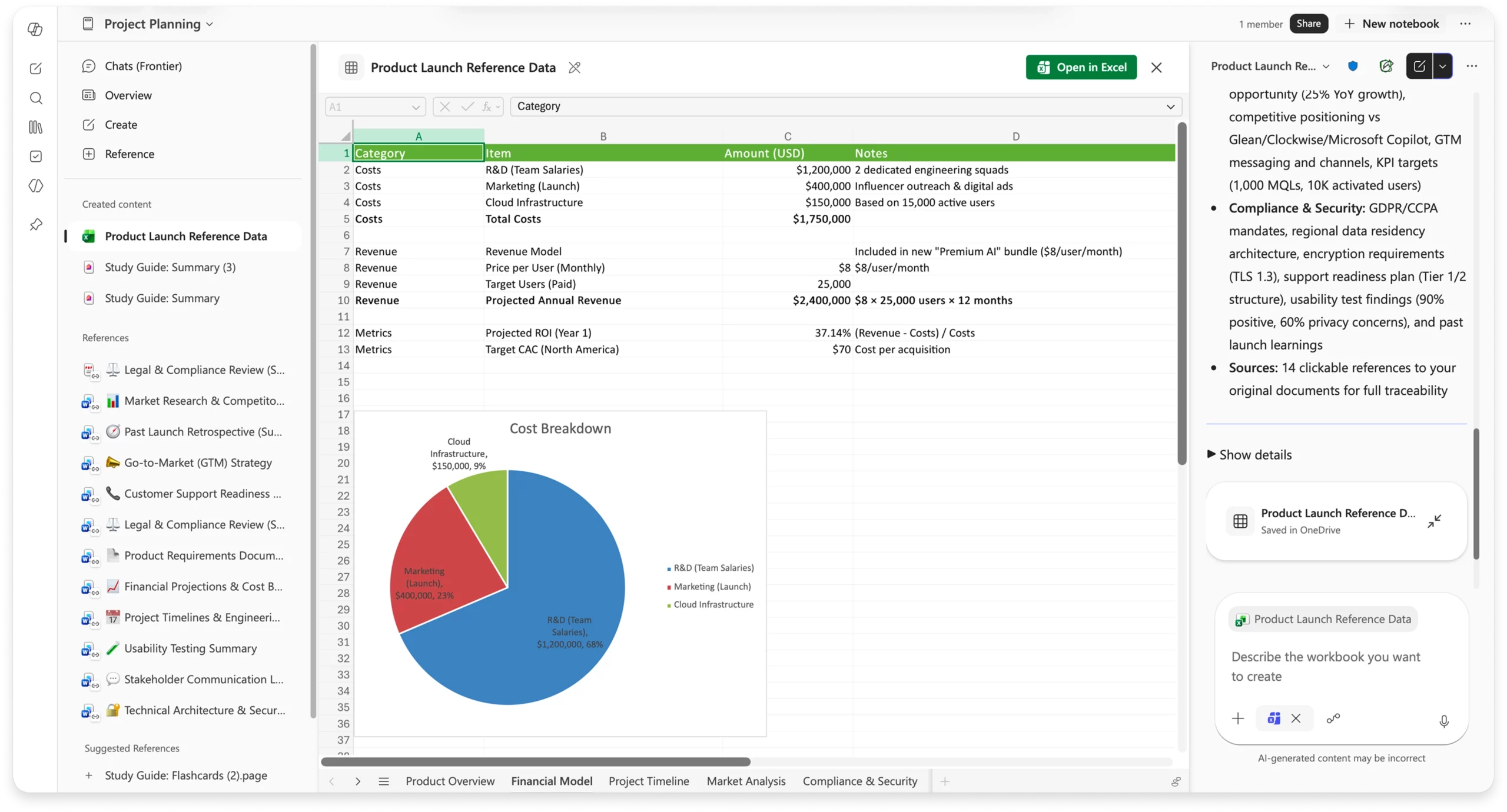
4. Microsoft 365 Copilot: Generate Excel spreadsheets from Copilot Notebooks

Copilot Notebooks can now generate Excel spreadsheets using the Excel agent directly from notebook content and references. The Excel agent creates a structured spreadsheet and asks clarification questions to tailor the output to the user's specific requirements.

When this will happen

  • Frontier: Rolled out in May.
  • Worldwide: Rolling out in June.

How this affects your organization

What will happen:

  • Users can generate Excel spreadsheets directly from content and references stored in a Copilot Notebook.
  • The Excel agent will ask clarification questions to help create a spreadsheet tailored to the request.
  • Generated spreadsheets are structured and ready for further refinement.
  • Users can continue working with Copilot in Excel to edit and enhance the spreadsheet.

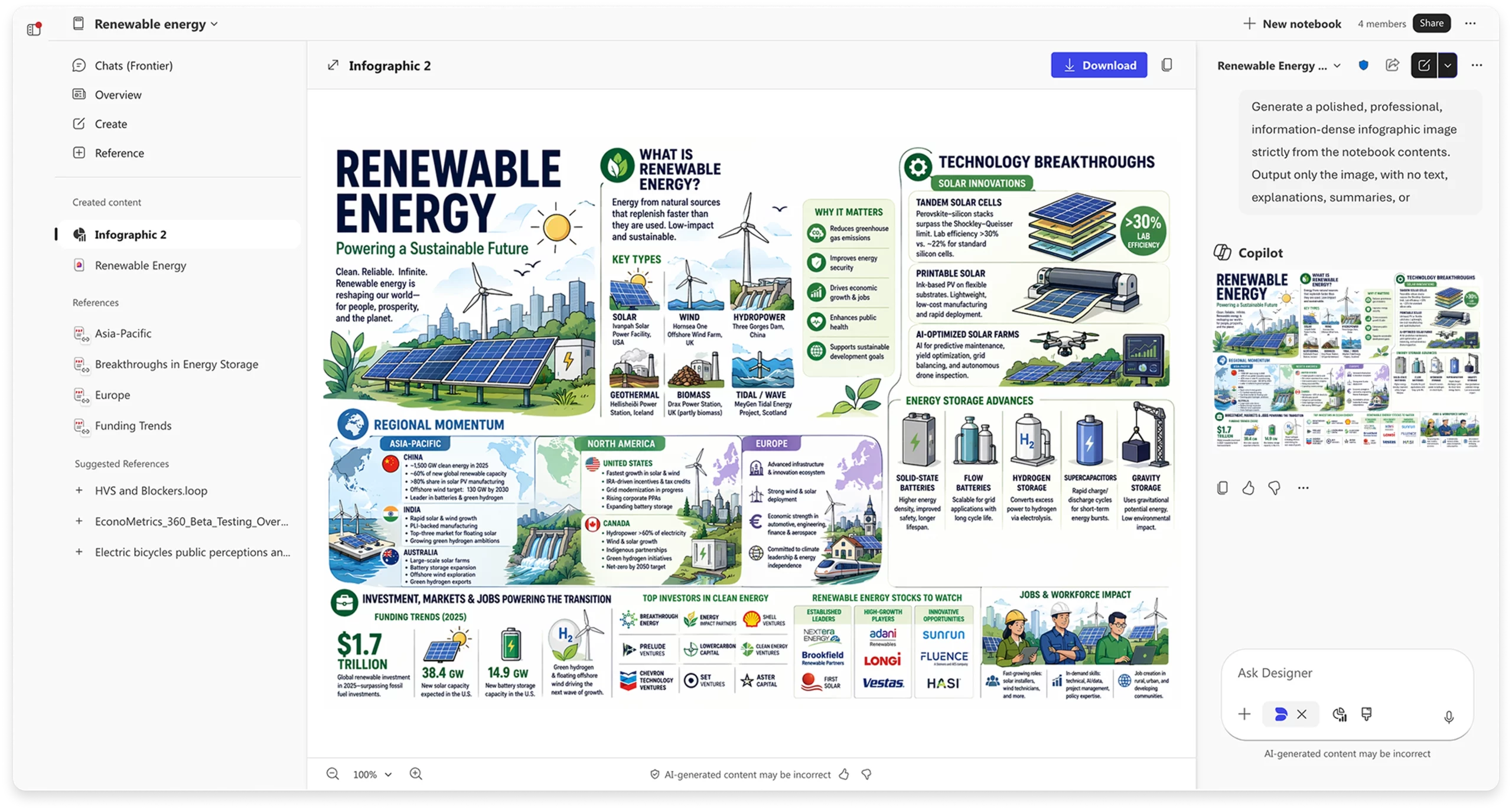
5. Microsoft 365 Copilot: Infographics in Copilot Notebooks

Infographics in Copilot Notebooks automatically transform notebook content into visual summaries that are ready to share. By analyzing the information and references within a notebook, Copilot generates infographics that highlight key points, relationships, and insights.

When this will happen

  • Frontier: Rolled out in May.
  • Worldwide: Rolling out in June.

How this affects your organization

What will happen:

  • Users can generate infographics directly from content and references stored in a Copilot Notebook.
  • Generated infographics highlight important information, relationships, and insights.
  • Technical notes, project updates, and documentation can be converted into visual summaries for easier communication and sharing.

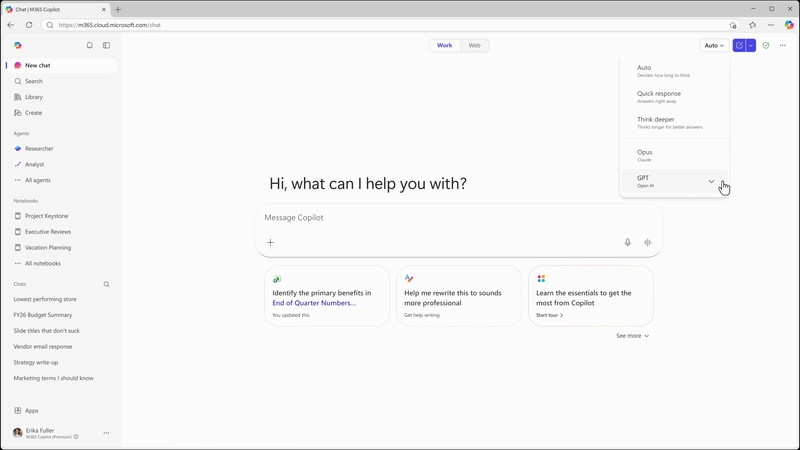
6. Microsoft 365 Copilot and Copilot Studio: GPT-5.5 Instant now available

Microsoft 365 Copilot and Copilot Studio: GPT-5.5 Instant now available

OpenAI's GPT-5.5 Instant is now available in Microsoft 365 Copilot and Microsoft Copilot Studio. Building on GPT-5.3 Instant, the model delivers higher-quality responses for everyday work tasks, image analysis, and STEM-related questions, with clearer and more concise answers.

When this will happen
Rolled out in May.

How this affects your organization

What will happen:

  • GPT-5.5 Instant is available in Microsoft 365 Copilot and Microsoft Copilot Studio.
  • The model provides improved response quality for everyday work tasks, image analysis, and STEM-related questions.
  • Responses are designed to be clearer, more concise, and require fewer follow-up questions.
  • In Copilot Chat, the model appears as "GPT-5.5 Quick response" in the GPT model selector.
  • In Copilot Studio, the model rolls out to early release cycle environments as "GPT-5.5 Chat."

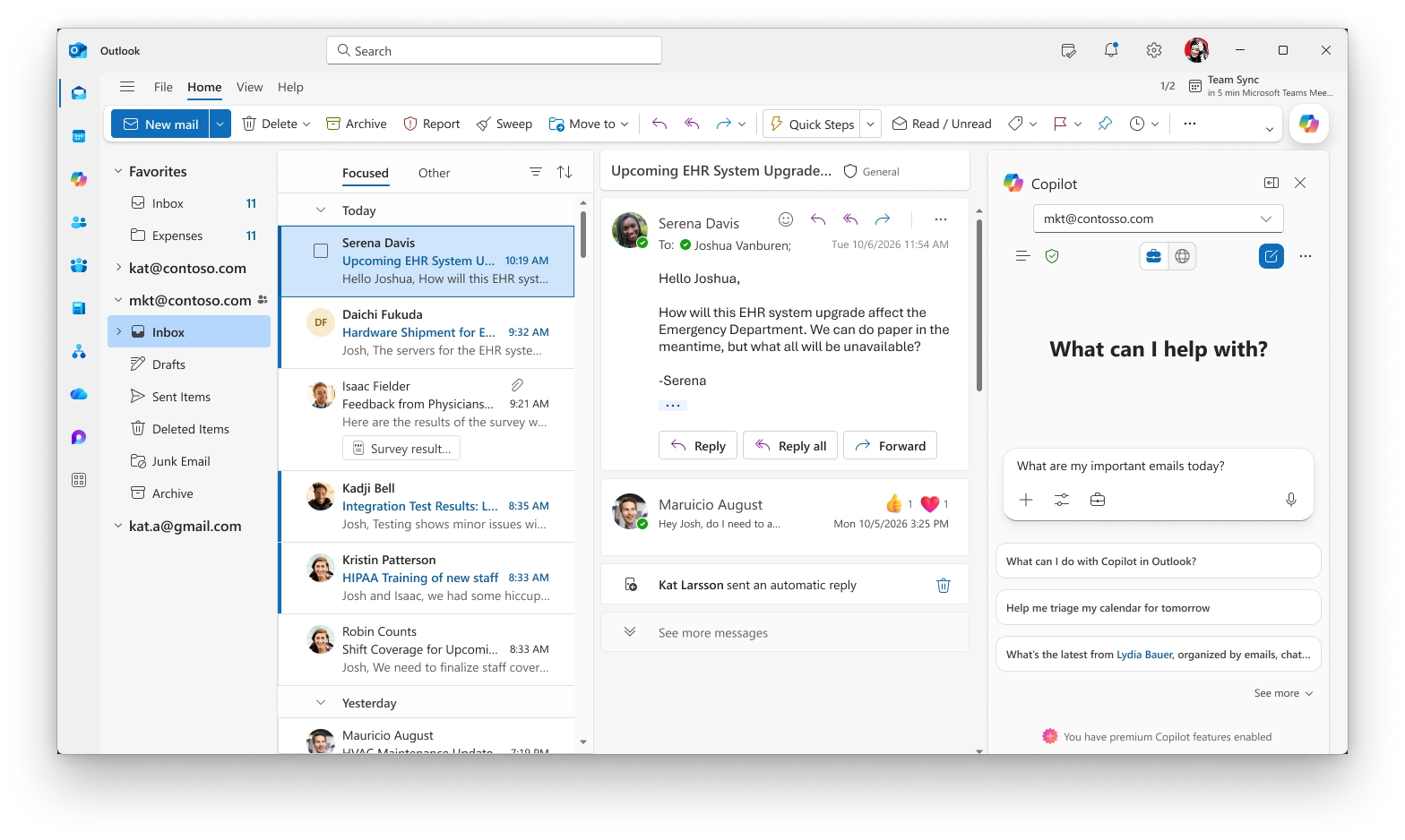
7. Microsoft Outlook: Account selector for Copilot in Calendar

Users with more than one Copilot-enabled account in Outlook for Windows now have an account selector in the Copilot side pane within Outlook Calendar. This enhancement makes it easier to identify which account Copilot is using and allows users to switch between accounts when needed.

When this will happen
Rolled out in May.

How this affects your organization

Who is affected:
Users with multiple Copilot-enabled accounts in Outlook for Windows.

What will happen:

  • An account dropdown will be available in the Copilot side pane in Outlook Calendar.
  • Users can see which account Copilot is currently acting on.
  • Users can switch between Copilot-enabled accounts directly from the selector.
  • The update helps reduce confusion for users working across multiple accounts or tenants.

8. Microsoft PowerPoint: New Copilot skills for presentations

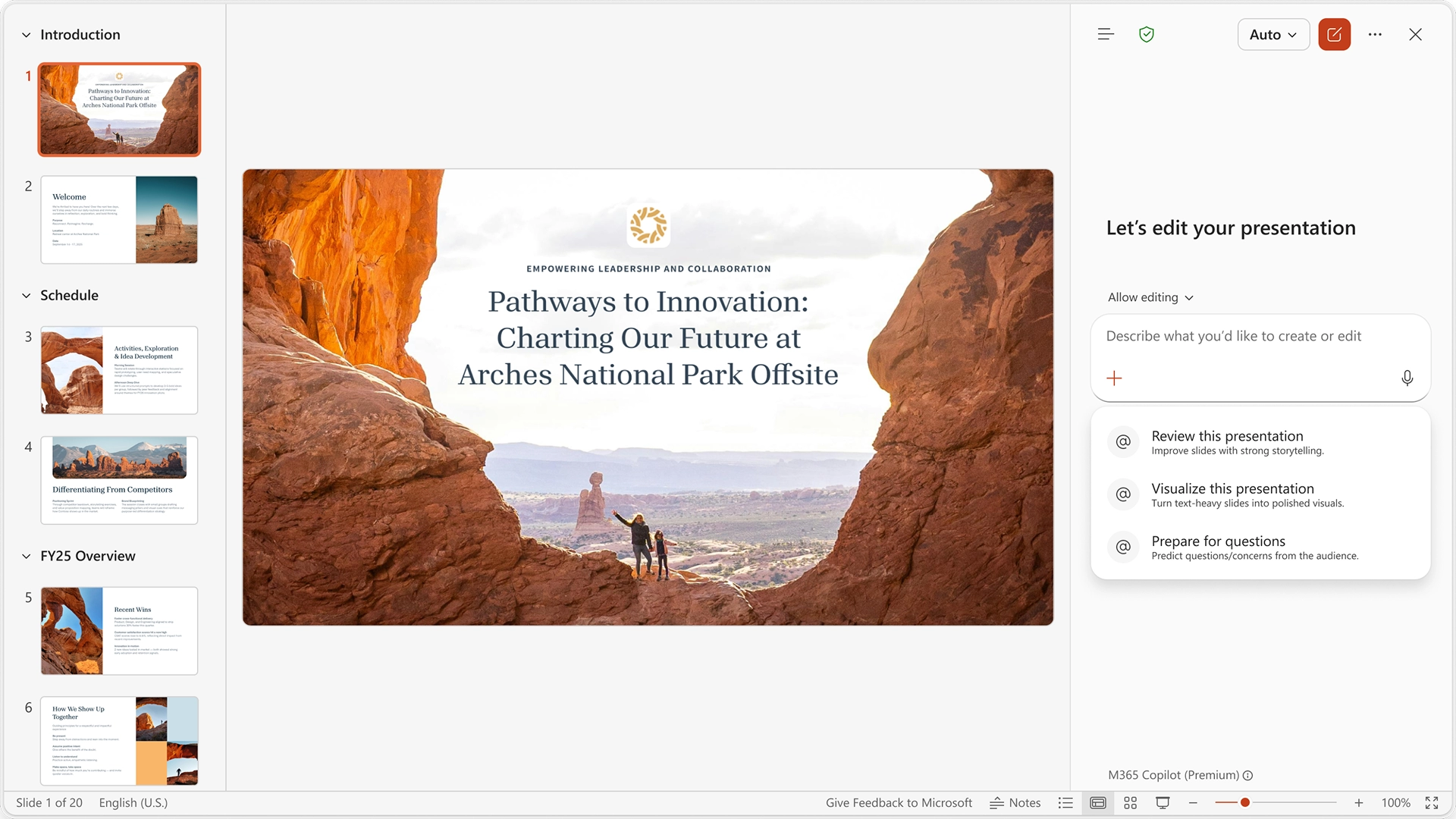
Copilot in PowerPoint now includes built-in skills that help users improve presentations with a single click. Instead of writing detailed prompts, users can select a skill and let Copilot perform the task on their presentation.

When this will happen
Rolled out in May.

How this affects your organization

What will happen:

  • Review this presentation provides slide-by-slide suggestions to improve structure, clarity, and storytelling, with recommendations that users can review and apply.
  • Visualize this slide transforms text-heavy slides into visuals to enhance presentation design and impact.
  • Prepare for Questions helps users identify potential weak points in a presentation and anticipate audience questions.

B. Microsoft Teams

1. Microsoft PowerPoint Live: Reload updated presentations during meetings

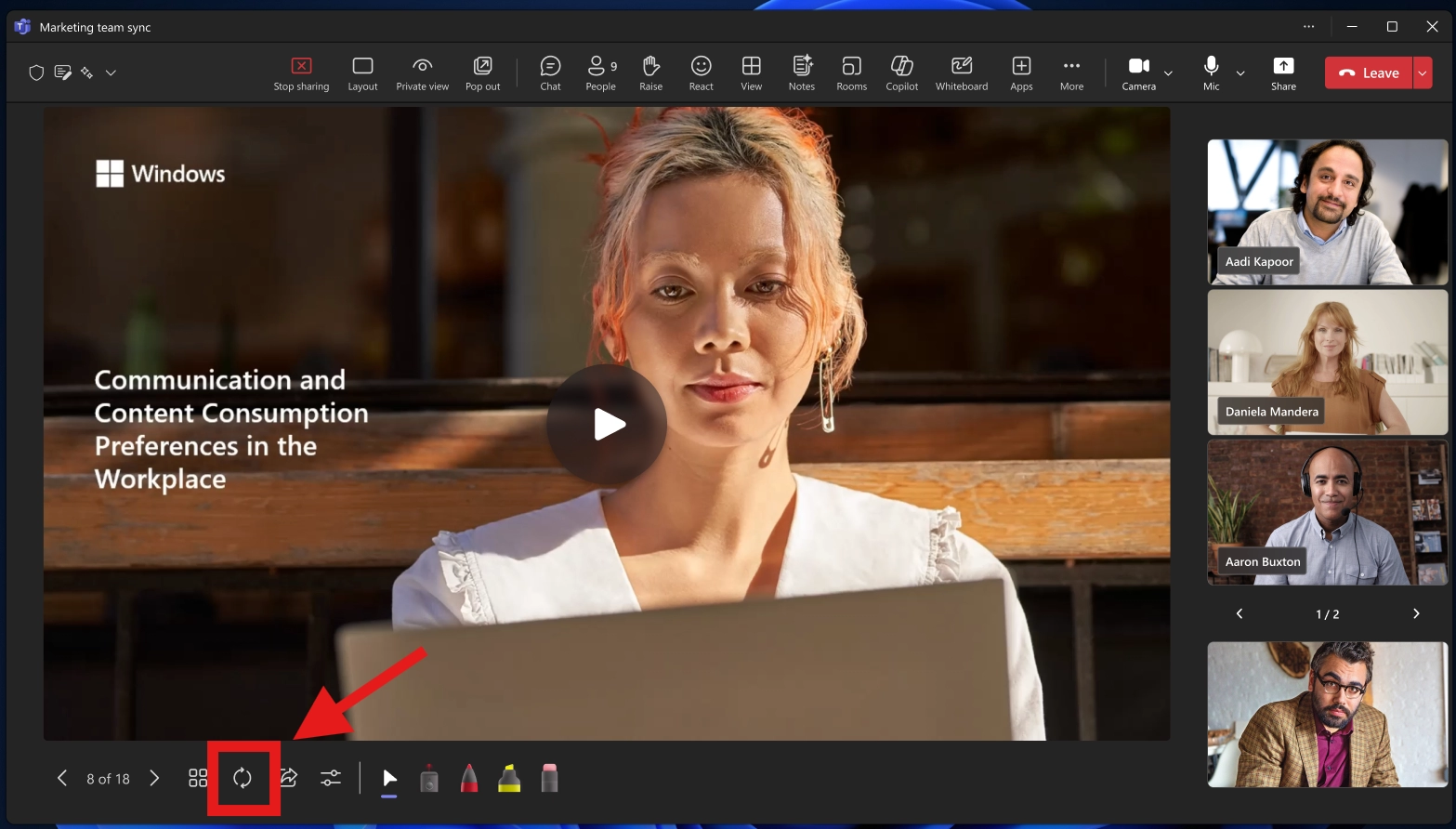
PowerPoint Live presenters will soon be able to refresh their presentation during a live meeting to load the latest saved version of the deck without restarting the presentation. This enhancement helps presenters stay aligned with last-minute updates while reducing meeting disruption.

When this will happen

  • Targeted Release (Worldwide): Rollout begins in late May 2026 and is expected to complete by late May 2026.
  • General Availability (Worldwide): Rollout begins in early June 2026 and is expected to complete by mid-June 2026.

How this affects your organization

Who is affected:
Users who present content using PowerPoint Live in Microsoft Teams meetings.

What will happen:

  • Presenters will see a new one-click option during a PowerPoint Live session to reload the latest saved version of the presentation.
  • Selecting the refresh option will load the latest saved version of the deck without restarting the presentation.

2. Microsoft Teams: Simplified meeting controls and redesigned share panel

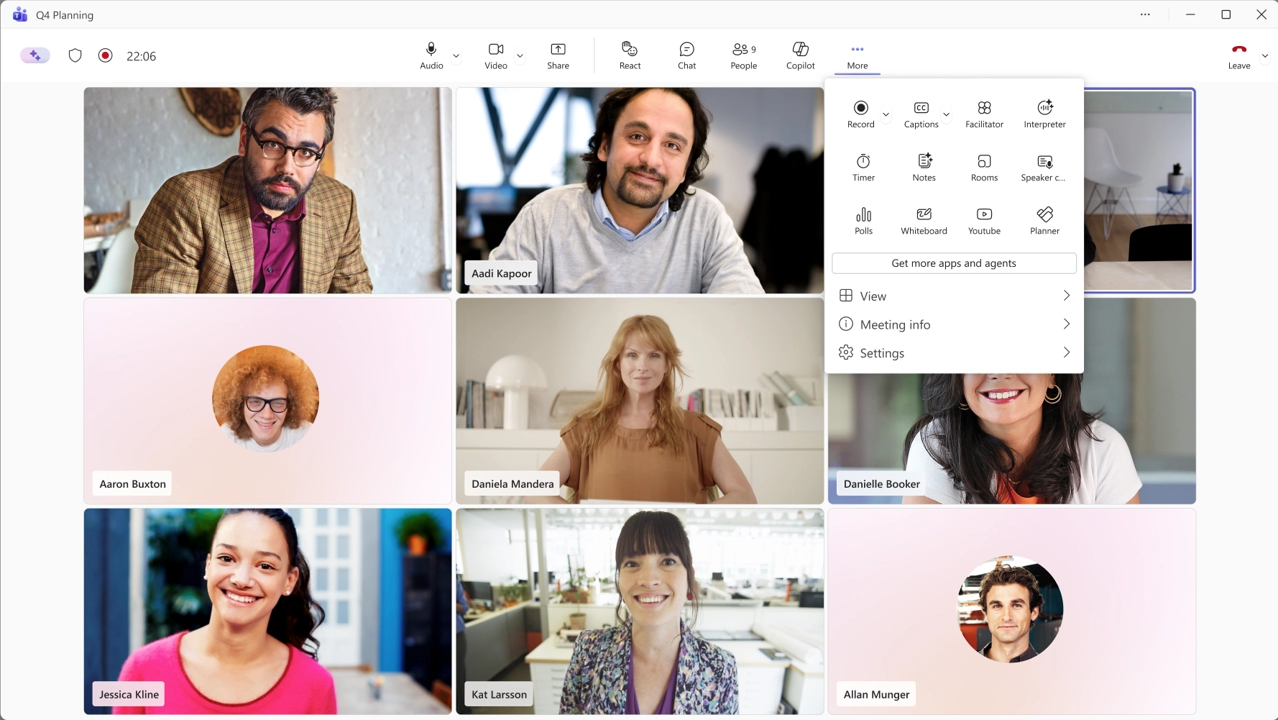
Microsoft Teams is introducing simplified meeting controls and a redesigned share panel to make core meeting actions easier to find and reduce accidental clicks when sharing content or managing meetings.

When this will happen

  • Targeted Release: Early July 2026 to late July 2026
  • General Availability (Worldwide): Early August 2026 to late August 2026
  • General Availability (GCC, GCC High): Early September 2026 to late October 2026
  • General Availability (DoD): Early October 2026 to late November 2026

How this affects your organization

Who is affected:
All Teams work and school users joining meetings on Windows desktop, Mac desktop, and the web.

What will happen:

  • Meeting controls will be center-aligned.
  • Microphone, camera, and share controls will be grouped together.
  • The Leave button will be separated from other controls.
  • Less frequently used actions will be moved to a reorganized More menu.

Not in scope:
Teams (consumer), iOS, Android, Teams Rooms, and Linux.

3. Microsoft Teams: Quick Share for images

Microsoft Teams is introducing a Quick Share option for images, making it easier to share visual content across chats and channels. This enhancement enables users to quickly share images or copy image links from familiar interaction points while maintaining existing sharing permissions.

When this will happen

  • Targeted Release (Worldwide): Early June 2026 to late June 2026
  • General Availability (Worldwide): Mid-June 2026 to late June 2026

How this affects your organization

Who is affected:
Users who share or interact with images in Microsoft Teams chats, channels, and shared tabs.

What will happen:

  • A new Quick Share option will be available for images in Microsoft Teams.
  • The option can be accessed from:
    • Hover actions
    • Right-click context menus
    • Overflow menus
    • Shared tabs
  • Users can:
    • Share images
    • Copy image links
  • Existing Microsoft Teams and Microsoft 365 sharing permissions will continue to apply.

4. Microsoft Teams: In-meeting control for Meeting AI

Microsoft Teams is introducing a new in-meeting toggle that allows licensed meeting organizers and presenters to turn Meeting AI on or off during a live meeting. This includes Copilot, Facilitator, and meeting recap capabilities.

When this will happen

  • Targeted Release: Early June 2026 – Mid-June 2026
  • General Availability (Worldwide): Mid-June 2026 – End of June 2026

How this affects your organization

Who is affected:

  • All Microsoft 365 tenants with Meeting AI (Copilot and/or Facilitator) enabled by policy and in Meeting Options
  • Licensed organizers and presenters in Teams meetings

What will happen:

  • Licensed organizers and presenters will be able to turn Meeting AI on or off during a live meeting.
  • The control applies to Copilot, Facilitator, and meeting recap experiences.
  • The toggle will provide real-time control over when Meeting AI is active during a meeting.
  • Existing tenant policies and compliance controls will continue to apply.
Jasjit Chopra
Jasjit Chopra

CEO at Penthara Technologies

About the Author

Microsoft MVP LogoLinked-in

Jasjit Chopra is the CEO of Penthara Technologies and a Microsoft Most Valuable Professional (MVP) with over two decades of hands-on experience in Microsoft 365, SharePoint, and Security. He has led 100+ digital transformation projects across six countries, securing 50,000+ users, migrating 250+ TB of data, and automating processes that save organizations thousands of hours each year. A recognized leader at the crossroads of AI, security, and workplace modernization, Jasjit is passionate about simplifying complexity, mentoring technology professionals, and helping businesses build secure, intelligent, and future-ready digital environments.

Leave a Reply

Your email address will not be published. Required fields are marked *

More From This Category

What's new in Microsoft | April 2026 Updates

Explore the latest Microsoft 365 updates including Copilot enhancements, AI meeting recaps, Teams improvements, and new productivity features.

Read More
Former Employee Recurring Meetings Still Showing? Here’s How to Remove Them

Learn how to remove recurring meetings from former employees in Microsoft 365 using Outlook, PowerShell, or eDiscovery - based on account status.

Read More
What's new in Microsoft | March 2026 Updates

Explore the latest Microsoft 365 updates including Copilot enhancements, AI meeting recaps, Teams improvements, and new productivity features.
Read More
1 2 3 8
chevron-right